Mapping your Case Studies
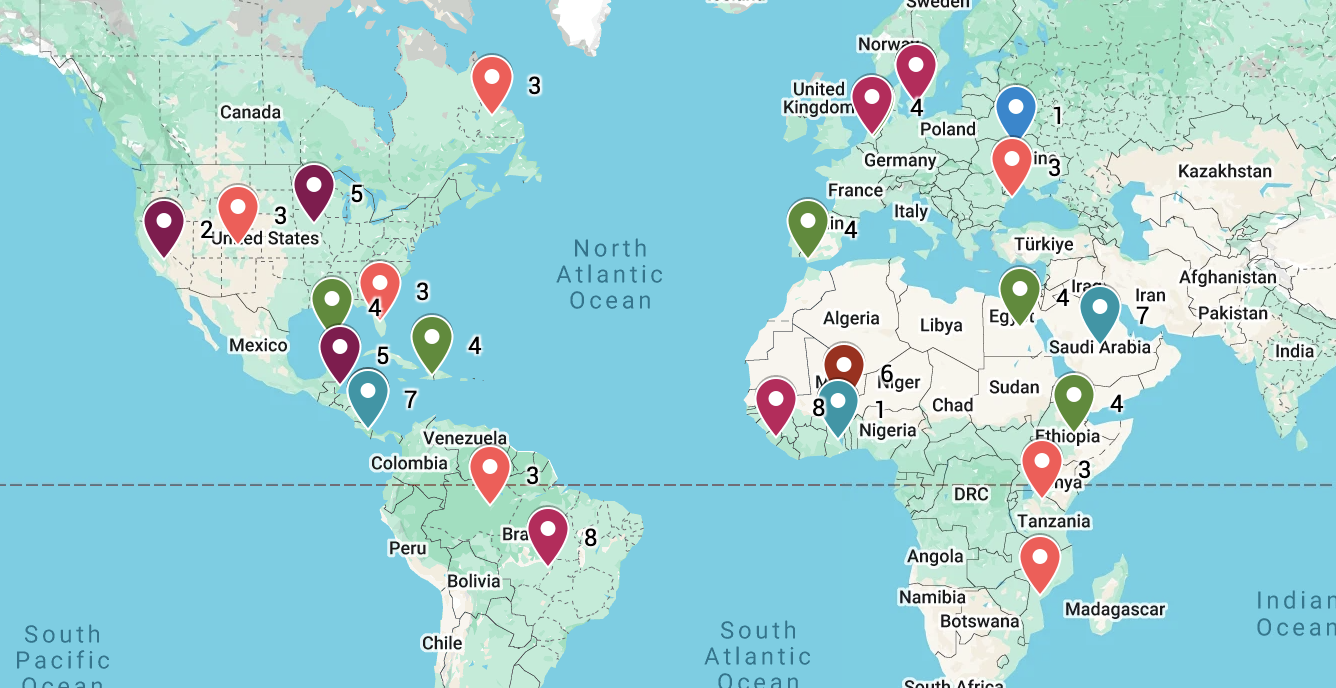
Case studies are essential in your study of ESS. Having them all visualised in one place can help remember them. Follow these instructions to make your own
Teacher only box
You will need to have access to Google spreadsheets and maps to do this. You can set this as an individual revision task in the run up to the exams or as a constant review exercise at the end of a topic - up to you. Please let us know how you get on and what ways you decide to use the activity.
- You have to create a Google spreadsheet of all the examples you have used in your ESS course. You might be able to ask your teacher or you can do it yourself. You can use this page to provide a good checklist of everything you need - Real-World Examples and Case Studies . It would be a great idea to split the job between your class but collate it all on one spreadsheet with the following headings;
- topic number
- topic
- details (you can add as much detail as you want here)
- location
- Go to Google My Maps (mymaps.google.com) and click Create a New Map.
- In the menu box on the left, click Import under the "Untitled layer".
- Choose the Google Drive tab, search for your spreadsheet, and select the file.
- It will ask you which column to use to position your placemarks. Choose Location.
- It will then ask which column to use to title your markers. Choose Topic.
- Click Finish. Google Maps will automatically drop a pin for every location worldwide.
- Look at the menu box on the left side of your map where your newly imported layer is listed.
- Click on Uniform style (it has a small paint roller icon next to it) located just below the layer's name.
- In the menu that pops up, find the Group places by dropdown and change it from "Uniform style" to Topic Number
- Google My Maps will instantly assign a distinct colour to each number, grouping your topics visually.
You can even view your map in Google Earth - amazing!
All materials on this website are for the exclusive use of teachers and students at subscribing schools for the period of their subscription. Any unauthorised copying or posting of materials on other websites is an infringement of our copyright and could result in your account being blocked and legal action being taken against you.