Introduction
There are two types of audio tasks:
1. In-page audio tasks: tasks that have been designed by the site author and are embedded in pages.
2. Custom audio tasks: similar to custom written tasks, these are tasks you can create yourself.
In-page audio tasks
In-page audio tasks are ones that have been created by the site author and are embedded in pages. As with other in-page tasks, you can get a quick overview of which pages contain audio tasks on the Student site map (which can be accessed via the waffle menu).
As for other tasks, you can set an audio task either from the Student access manager, or from the page which contains it. (See “Setting tasks” in this Help.)
If you go to “Add tasks” in the Student access manager, you can filter by “In-page audio tasks” to see which pages contain such tasks.
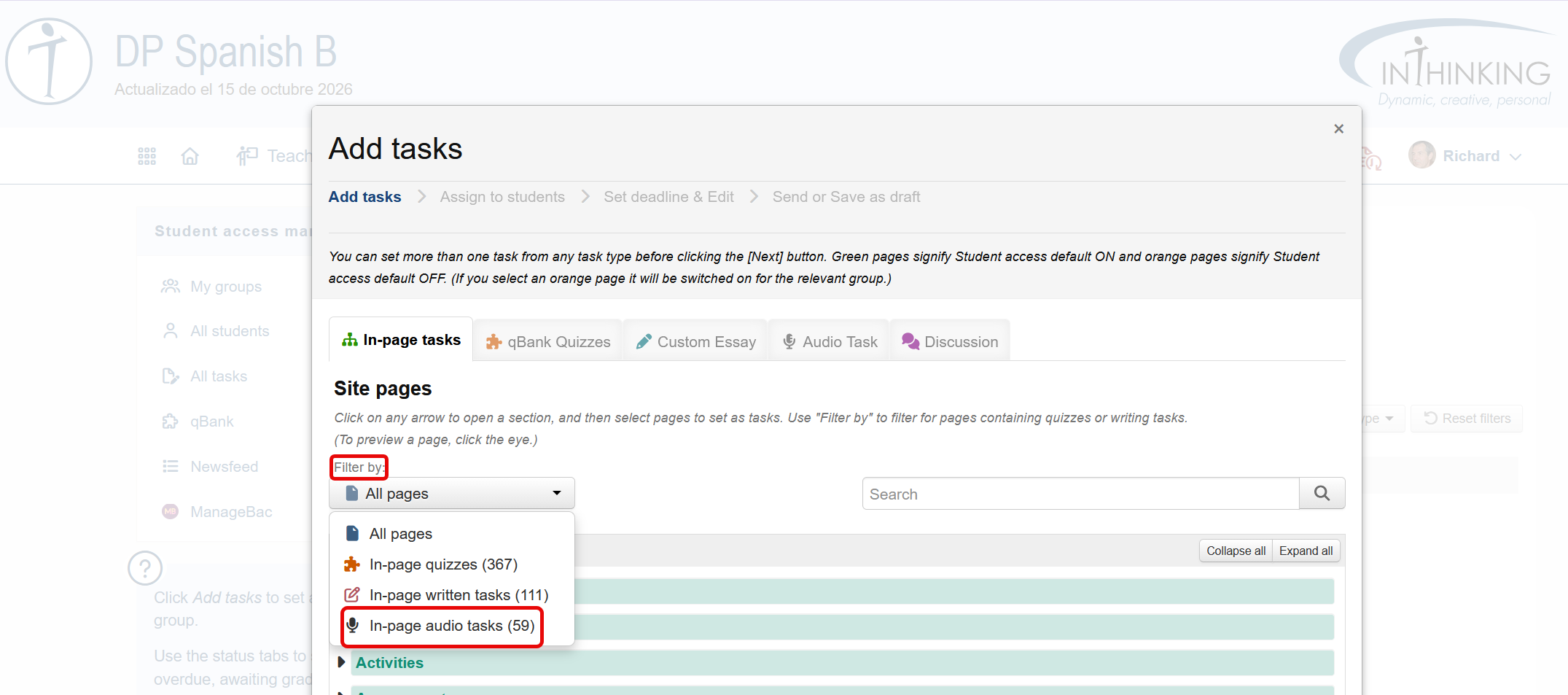
Once you have found the audio task that you want, you can send it to students in the usual way.
You can also create a bespoke