Main task types
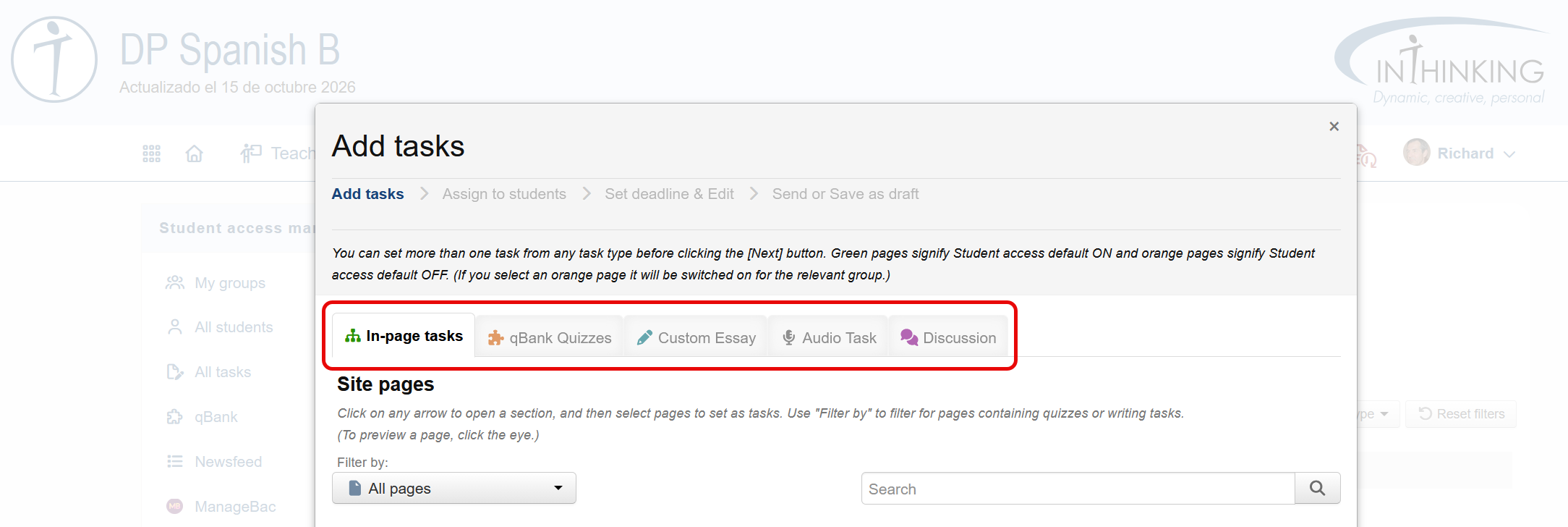
Student access enables you to set and monitor various kinds of tasks which can be completed, graded, and annotated online.
1. In-page tasks You can set a student page for your students to read. This may also include a quiz, an audio task, or written task.
2. qBank quizzes You can create a bespoke quiz set for your students from questions in the qBank. (Note this option is only available for some subjects.)
3. Custom essay You can set your own custom essay task for your students.
4. Audio task You can create and set your own audio task for students.
5. Discussion You can start a discussion thread on an issue and have your students contribute to it.
Smart tasks & manual tasks
Terminologically, we can group tasks in to two main categories depending on how they are assessed:
- Smart tasks: these are tasks with a clear right or wrong answer - e.g. multiple choice, true/false, or fill-in-the-gaps questions. Such tasks are graded automatically by the system and the grades go directly in to the grade book.
- Manual tasks: these are tasks the assessment of which requires an element of judgement - primarily written tasks and audio tasks. Such tasks must be graded and annotated manually by the teacher.
You can find specific information on each of the above task types and how they are assessed in the child pages of this section.