The header and top menu can be found on every page of the site and they allow for easy navigation. You can return to the home page from anywhere on the site either by clicking on the site title ("DP Chemistry") in the example below, or by clicking the Home icon.

If you click the round InThinking logo in the top left corner, it will take you to the hub site for our subject sites at www.thinkib.net which shows all of the subjects we offer.
Waffle menu
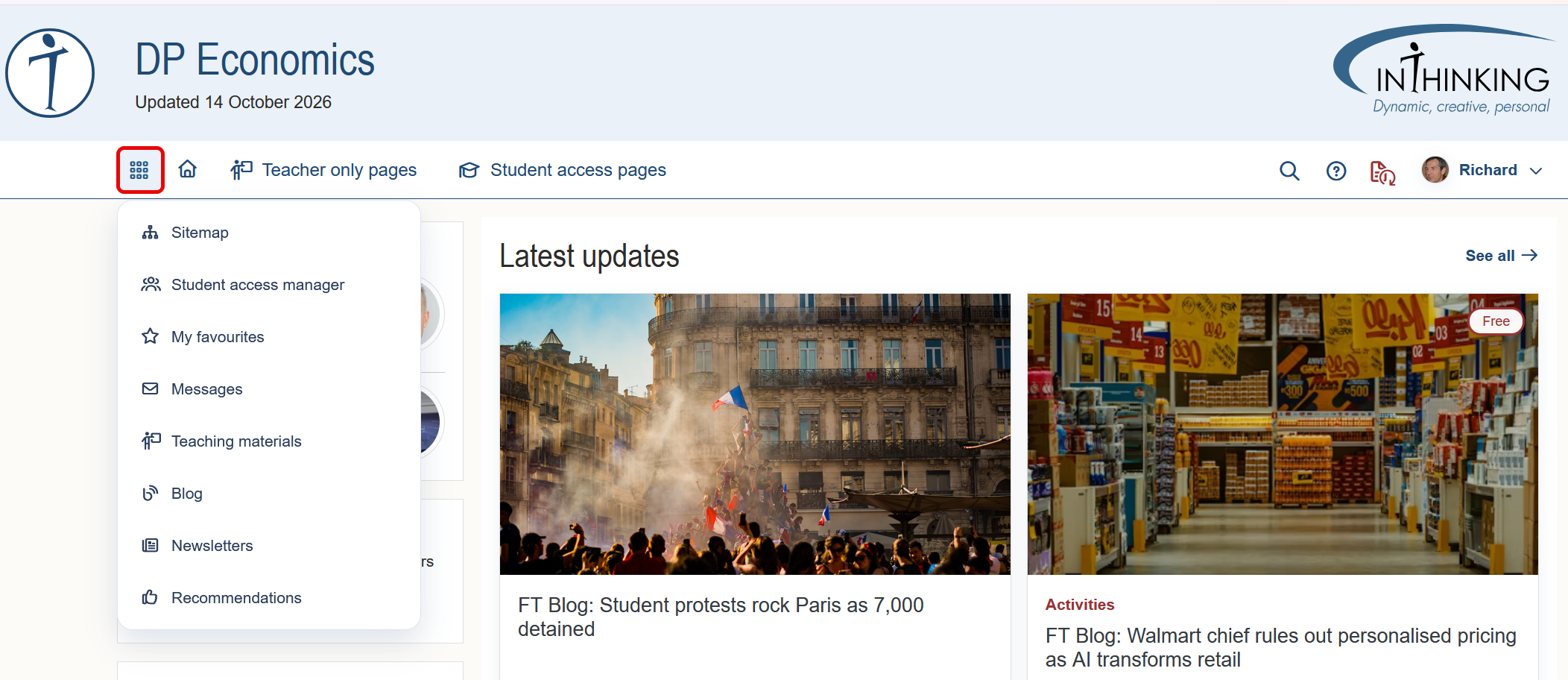
The first item on the top menu is the “waffle menu”. When you click on it, a drop-down opens with links to various global features.
Mega menus
The top navigation for each of our subject sites standardly shows two “mega menus”: Teacher only pages and Student access pages. (Note that the Heads & Coordinators site and the Librarians site do not have Student access pages.)
When you mouse over either of the headings, “Teacher only pages” or “Student access pages”, you immediately see their main sections and sub-sections. Clicking the [+] next to a sub-section reveals its child pages. If those child pages also contain children, the can be seen by clicking a further [+]. In this way, you can access any page on the site directly from the relevant mega-menu.
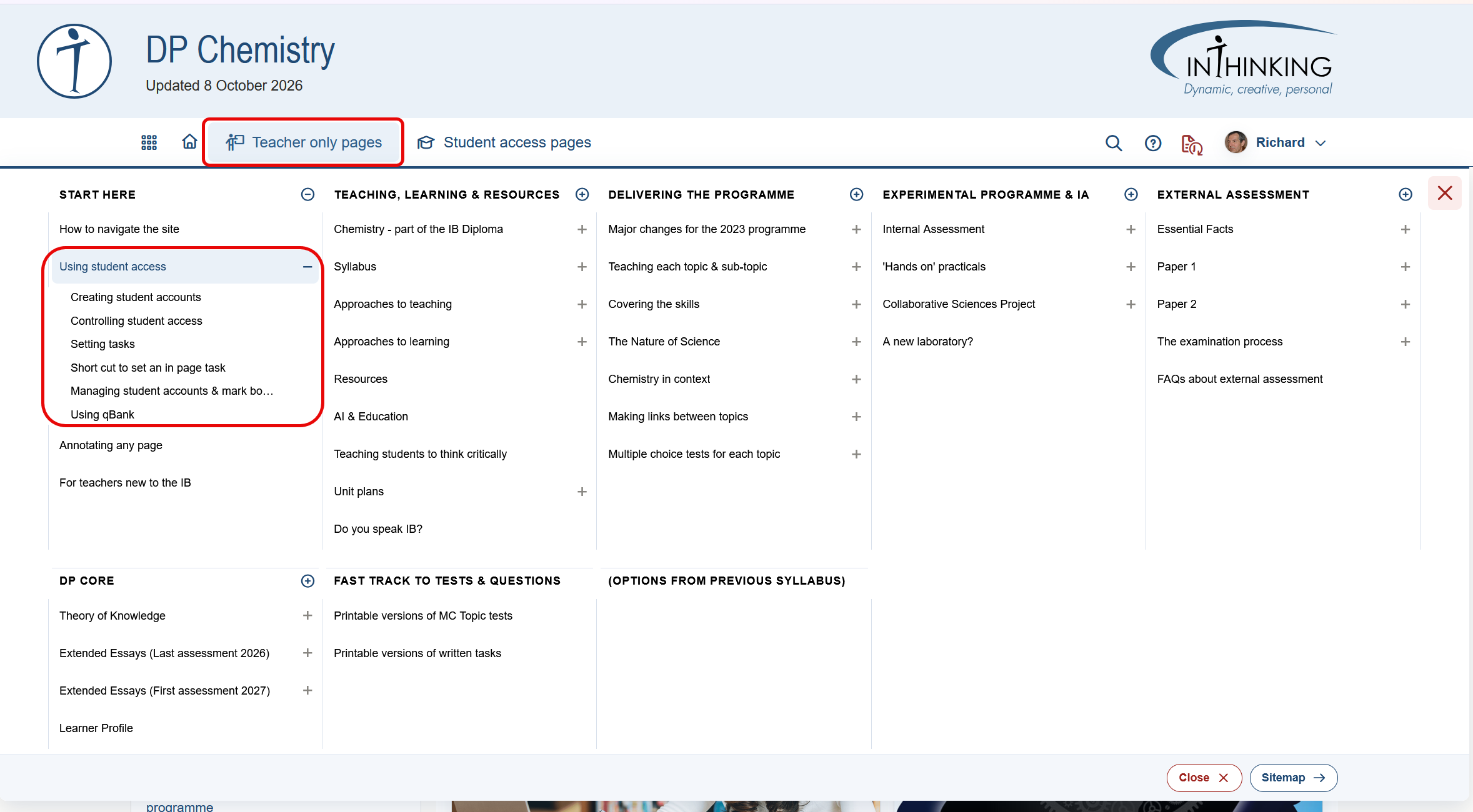
In the example below, showing “Teacher only pages” for Chemistry, the [+] next to “Using student access” has been clicked to show its children.
Note:
1. If you click directly on the title “Using student access” rather than the [+], you will be taken to that specific page.
2. To close a sub-section, click the [-].
3. To open all of the pages in a section, click the [+] in a circle next to the relevant title. To close all of the pages in that section click the [-] in circle.
4. To close the mega-menu, mouse over any part of the screen outside the menu, or click the the red [X] top or bottom right.
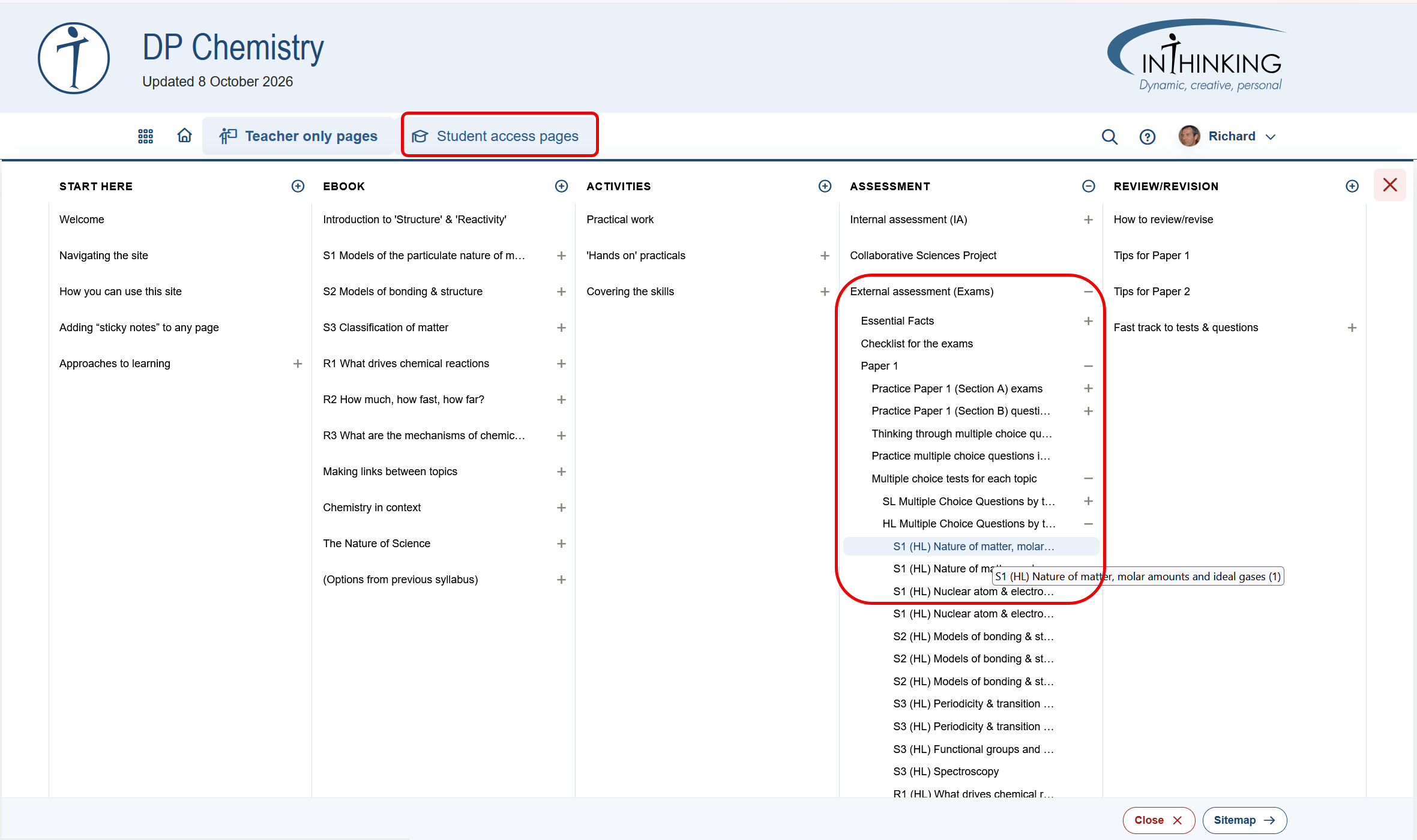
The mega-menu for “Student access pages” works in exactly the same way. In the highlighted section of the example below, you can see that the following sections and sub-sections have been opened sequentially:
External assessment (Exams) > Paper 1 > Multiple choice tests for each topic > HL Multiple Choice Questions by topic > S1 (HL) Nature of matter, molar amounts and Ideal gases (1)
Note that truncated titles that end in three dots […] can be seen in full when you mouse over them.