Smart quizzes
Smart quizzes are graded automatically by the system and the grades go directly into the grade book in the Results manager. Such tasks consist mainly of multiple choice, fill-in-the gaps, and true/false types of questions where there is a clear answer and no need for human judgement.
Written tasks
Written tasks must be graded manually. These may be either in-page written tasks of varying lengths, or custom essays which have been set by you. Once you have graded these tasks, they will also appear in the grade book in the Results manager.
To grade a written task, go to My groups > [Group card] > Task manager, or to All tasks. Then scroll down to the "Awaiting grade" section.
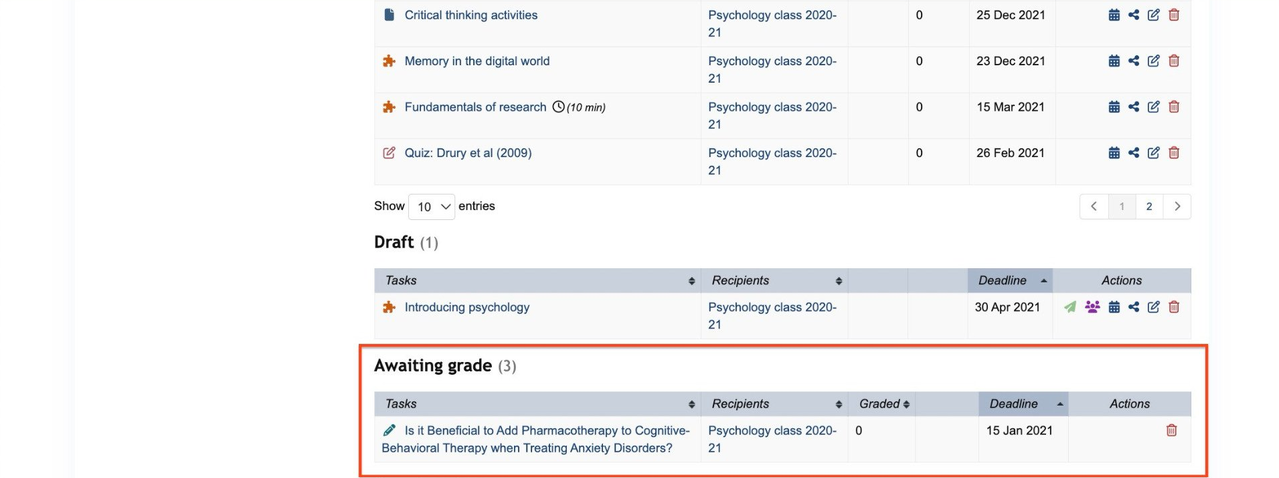
Click on the title of the task you wish to grade. This opens a Group task report with a list of students whose work needs to be graded. Click "Grade" next to the relevant student to grade their work.
