Accessing the Account manager dashboard
The Account manager dashboard is the main welcome page for an account manager. If you are an account manager can access the dashboard by logging in and then clicking your name in the top-right upper corner
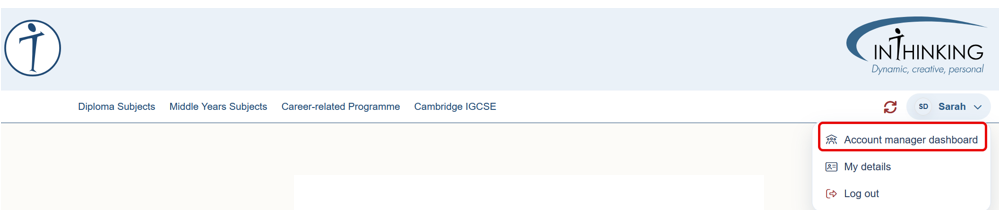
Note that if you are the account manager and you have also created a teacher account for yourself in one or more subjects, these (together with related student groups) will also show-up on your user drop-down menu:
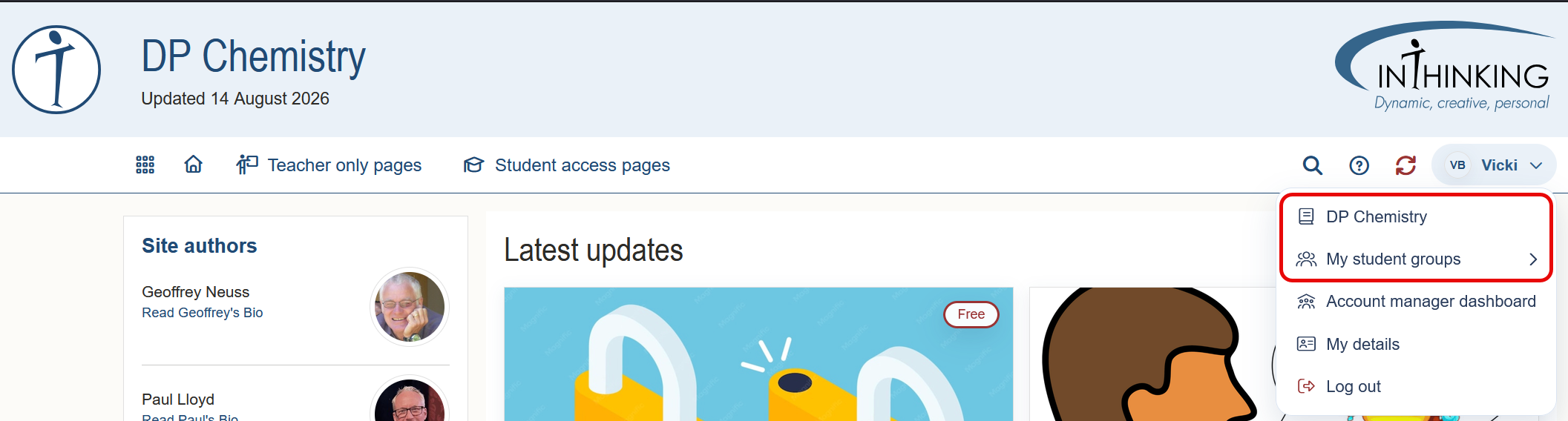
What is on the dashboard?
The Account manager dashboard contains information about:
- School details.
- Subscriptions and teacher accounts that you manage.
- Your school other’s subscriptions.
- Expired subscriptions.
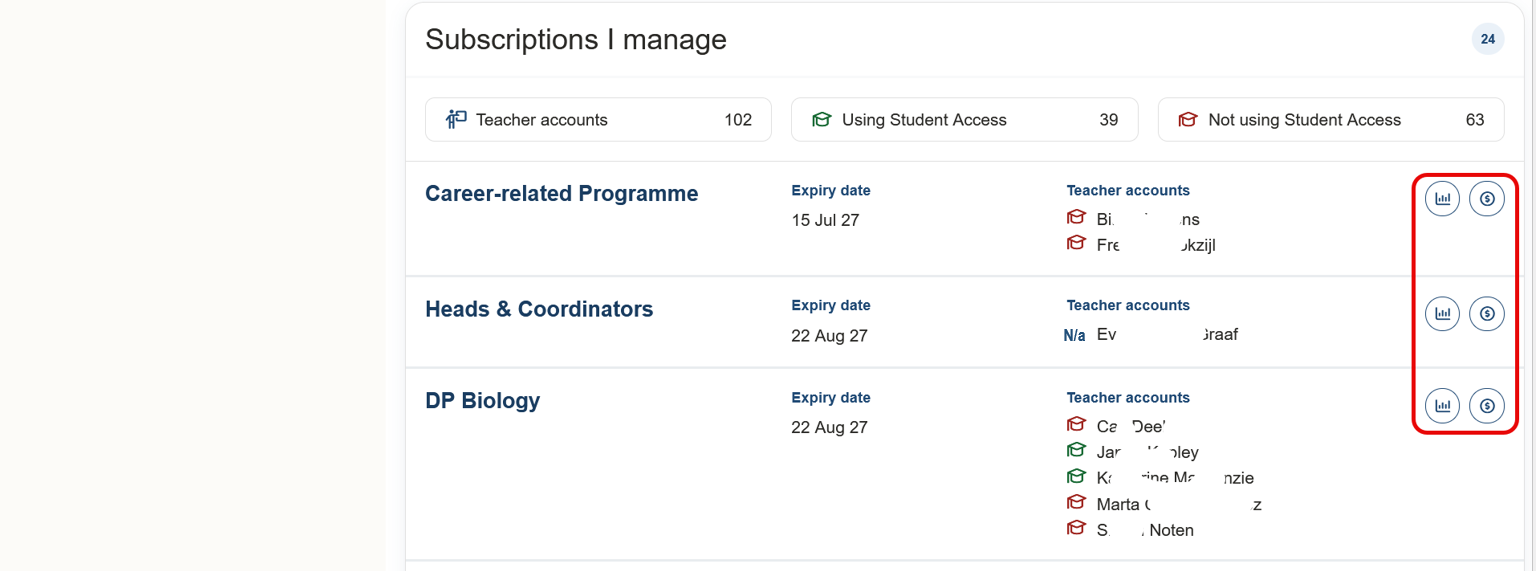
Subscriptions I manage
This section lists the subject accounts that you manage. It also shows:
1. Expiry date for each subject
2. Teacher accounts for each subject
3. Whether or not teachers are using Student access. (A green mortarboard means “using”; a red one means “not-using”)
4. Two icons (highlighted) which, when clicked show User activity, and Payment information.
At the top there is a summary table showing the total number of: teacher accounts; teachers using Student access; teachers not using Student access.
To take full advantage of our subject sites, we strongly recommend that you encourage all of your teachers to set up Student access. It is easy to set up, and it unlocks many useful features. You can find further details in the Student access section of this Help.
User activity
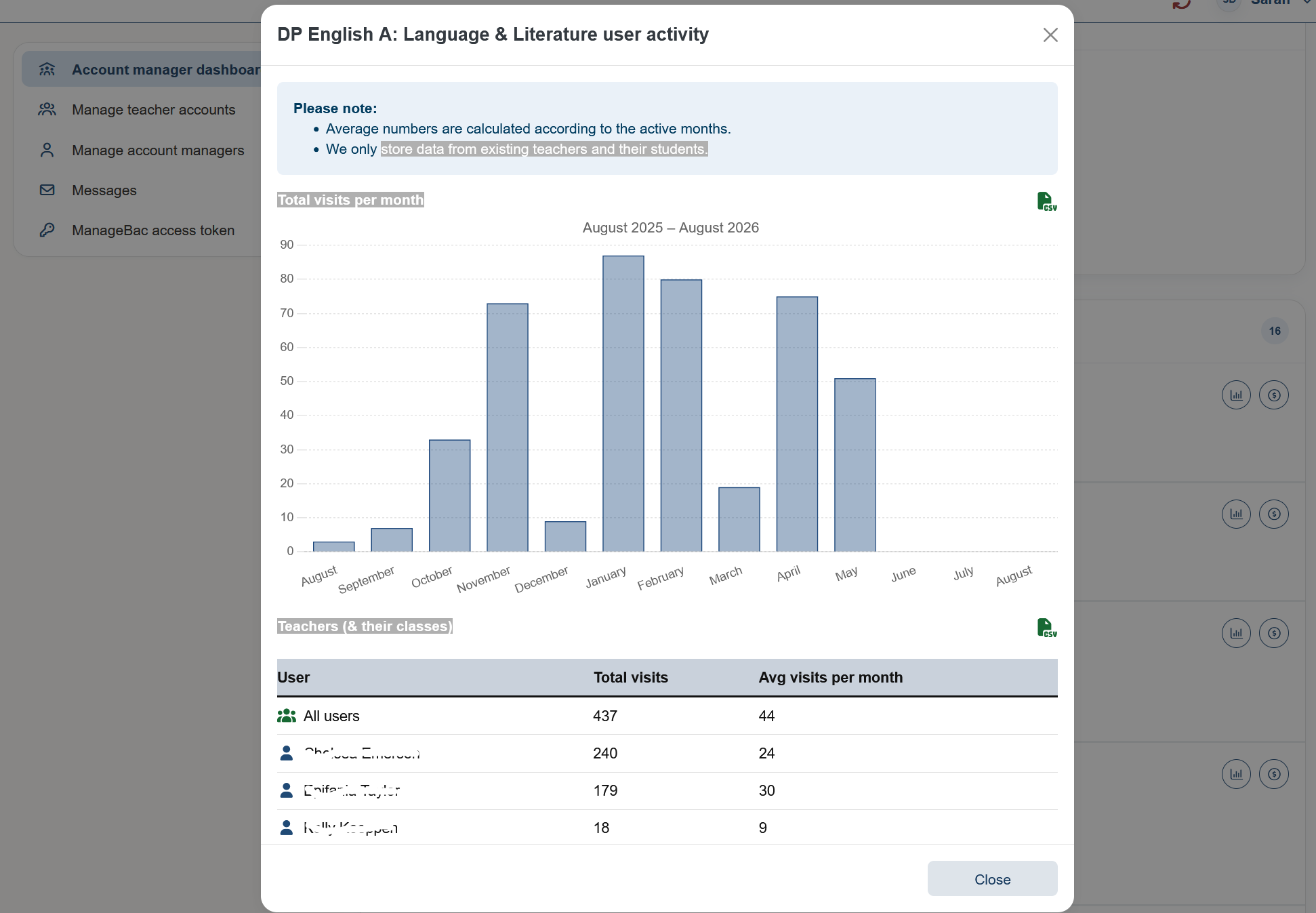
To see how often teachers are using a site, click on the chart icon.
You can see figures for total number of visits and average number of visits per month, for all users, and for individual users
You can also export the figures to CSV format
Payments
This shows a list of all payments made for the relevant subject.
Left hand menu
In the left-hand column, a list of links can be found:
Check the relevant heading above for more details.