FAQs: The scientific investivation (IA)

Your questions about the Scientific Investigation (the Internal Assessment for physics), answered here! Add your own questions as comments below, and we'll add them to the page.
Many teachers (including us, for the first decade of this website) used Vernier Logger Pro for graphing as well as data collection. Logger Pro has been retired and replaced with Vernier's Analysis suite. Unfortunately, the free tier of Graphical Analysis does not allow students to make error bars. Thus, one solution is to buy a site license for Graphical Analysis.
The other popular option has been to make graphs using a spreadsheet, like Excel or Sheets. Some versions of Excel 365 can do what is needed (see this post), but Sheets cannot. The issue is setting a different size error bar for each data point. Students who try to make their graph in Sheets only have the options of a constant-sized error bar (i.e., the same uncertainty for all data points), or a calculated value ('percent' or ‘standard deviation’) that is not what we need. See the image below. Thus, make sure your students don't waste their time trying to graph in Sheets.
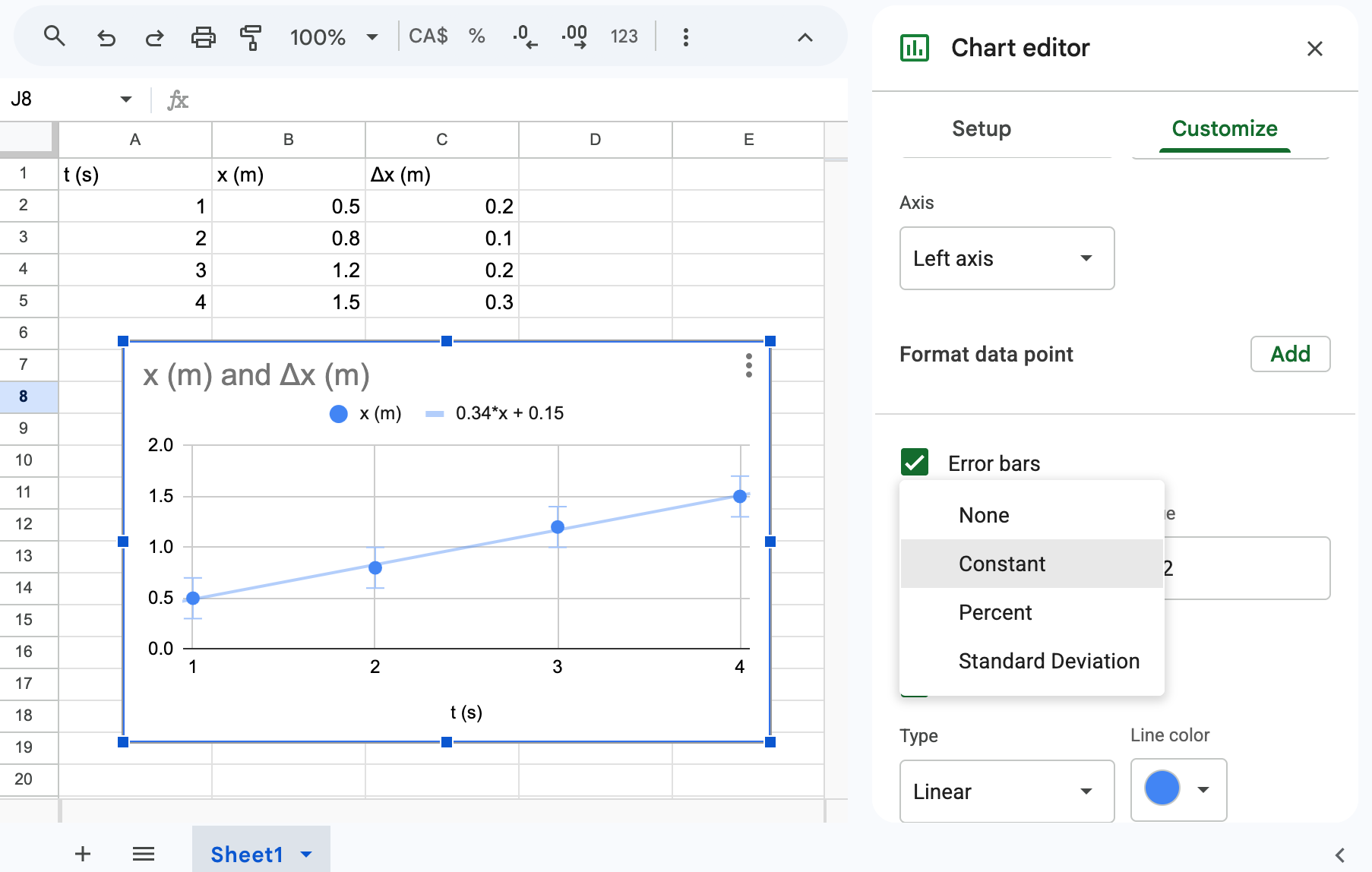
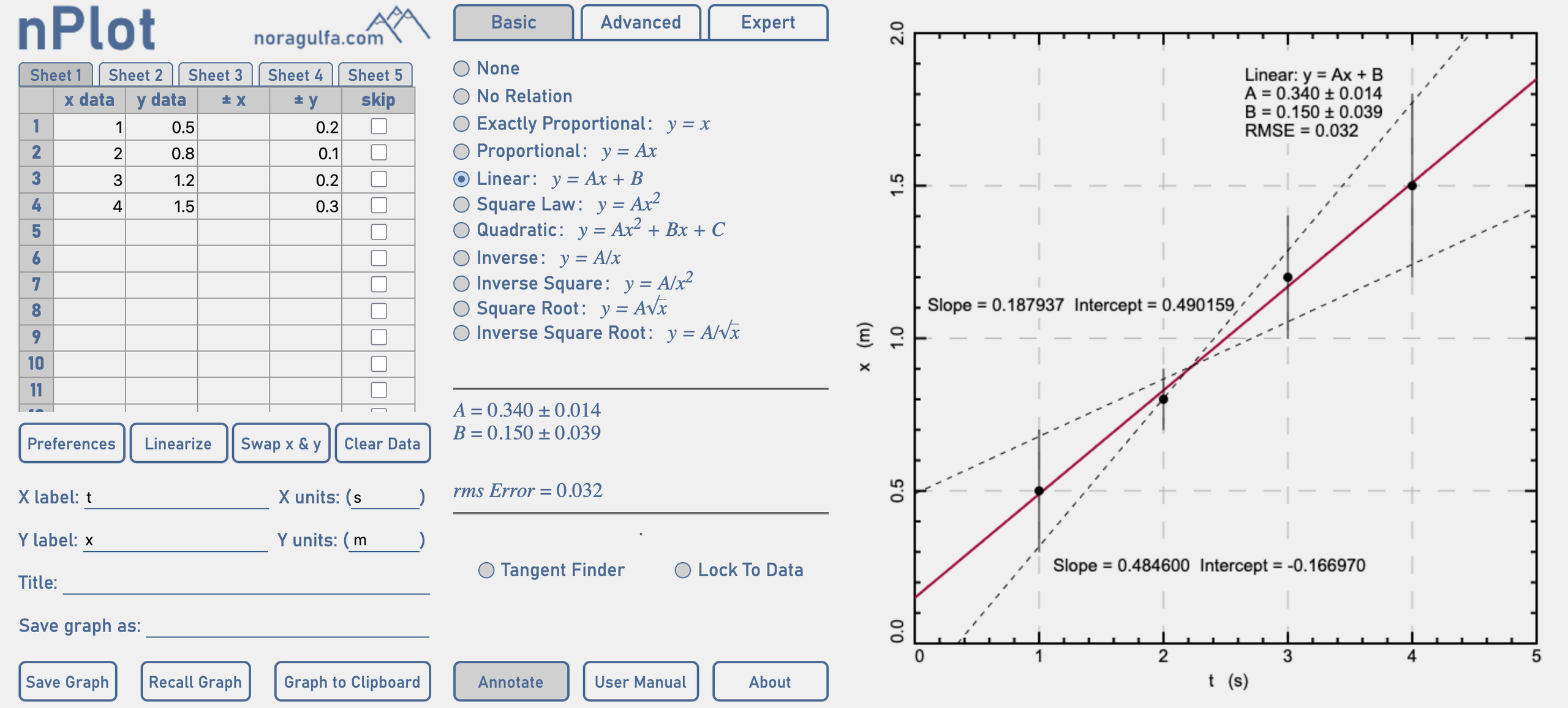
So, what works and is free? We like Noragulfa nPlot. Note that the graph requires students to put labels for the axes before points will appear. Also, if a linear fit is selected, students can draw their min- and max- lines via the Annotate menu button. Here's what nPlot looks like:
Another great option is Beep Boop Machines, which was written specifically for IB physics. It scales the graph automatically and offers some guidance to the student as they make the graph to ensure it is complete and effective.
An alternative that many students are exploring (as of 2026) is to use AI to generate their graph for them. Personally, we do not allow our students to do this, as it we believe the process of making and refining a graph is a necessary skill for them to learn. However, guidance from the IB suggests that this is acceptable as long as students are specific and clear about how the graph was generated and provide the prompt they used.
For more about graphing for the IA, see Graph plotting (for teachers) and Analysis, conclusion, and evaluation (for students). To help students learn how to make and think about graphs, use Tools interactive: Measurement and uncertainty and the practice, MCQs, problems, and test that come with it. Our list of our favourite Modern digital tools may also be a good resource.
This is important and challenging! We like to think of developing a research question as a skill that we learn and practice throughout the course. You could have students propose a possible RQ as part of the conclusion of some practical work.
Probably the most common approach is also not very effective: telling students to go home and return with a research question. This is often ineffective, as we describe in Googling IA ideas for IB physics. You could develop a RQ with a student via a conversation, as Chris describes in Developing a research question. Students could develop an investigation based on a simple piece of equipment, like a balloon, slinky, or toilet paper, as we outline here in Ideas for investigations. Or, if you have a student with no sense of originality on the day, here are Some ready made IA ideas.
The scientific investigation, remember, isn't a piece of novel research. Rather, it is a well-conducted and carefully analyzed piece of lab work. Many high-scoring students simply do a relatively standard lab. See the most recent subject reports for descriptions of the most popular investigations over the past year.
First, note that the IBO requires that students get exactly 1 round of substantive feedback. You can give students ongoing support as they design and conduct their experiment and analyze their data, but you should only review 1 copy of their write-up. When you do this, be sure to focus on the marking Criteria for the IA.
After students have submitted their final investigation reports, you will need to mark them. We've written about this here: How to mark IAs. You will submit grades to the IBO (your DP coordinator may do this for you), and will then need to submit a sample for moderation, which we describe here: Everything in moderation... Finally, we have some Exemplar marking comments and Exemplar student work and marks which should provide a helpful resource.