Clips from a Short

Today, Emma and I ran an InThinking Short presentation about the physics website. Here's a summary of what we talked about...
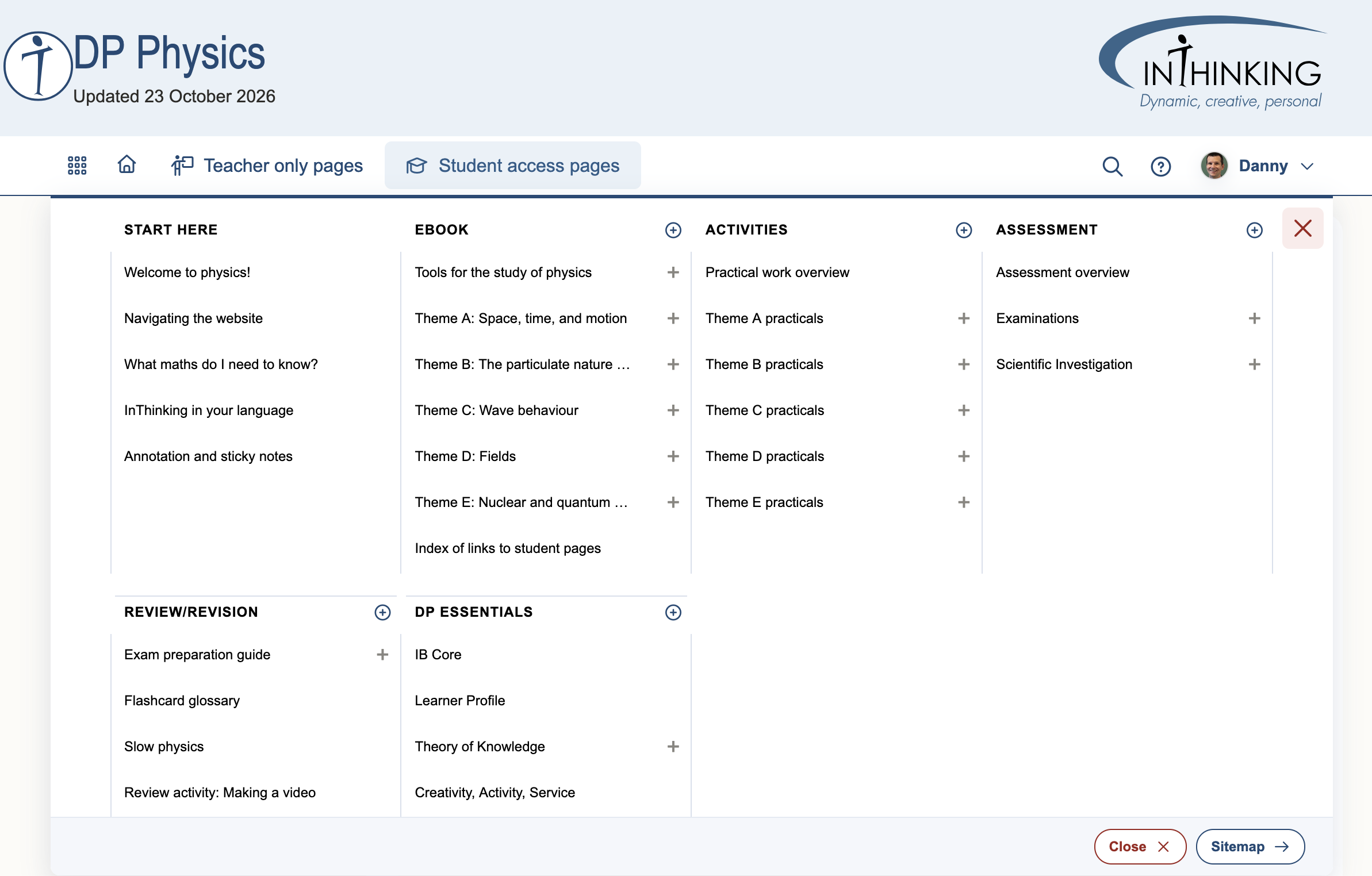
The new menu structure
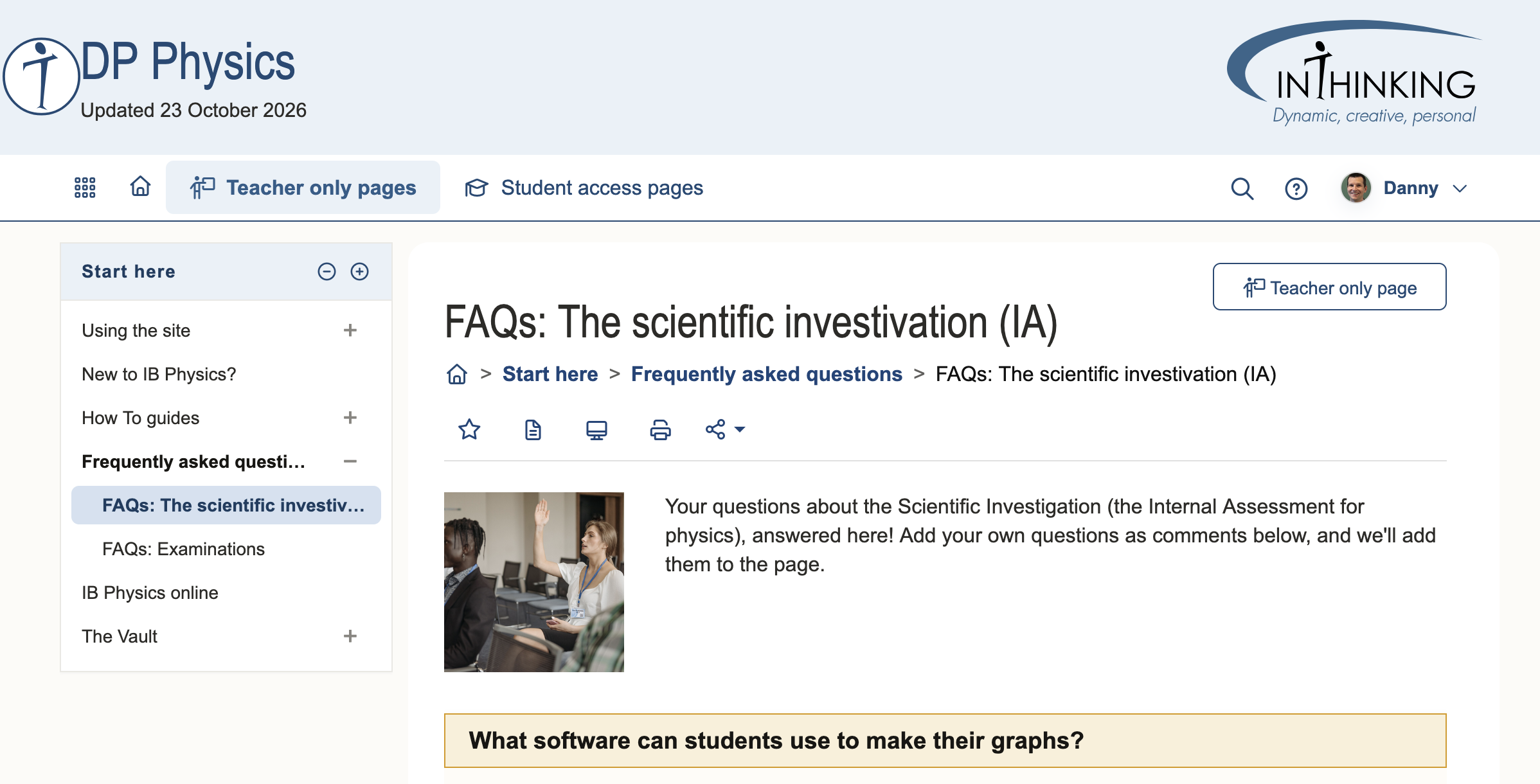
The website now has a “mega-menu” at the top of the page (click on Teacher only pages, for example) and a menu on the left side of the page (this is hidden for narrow screens like mobile phones). The site is split into Teacher only pages and Student access pages.
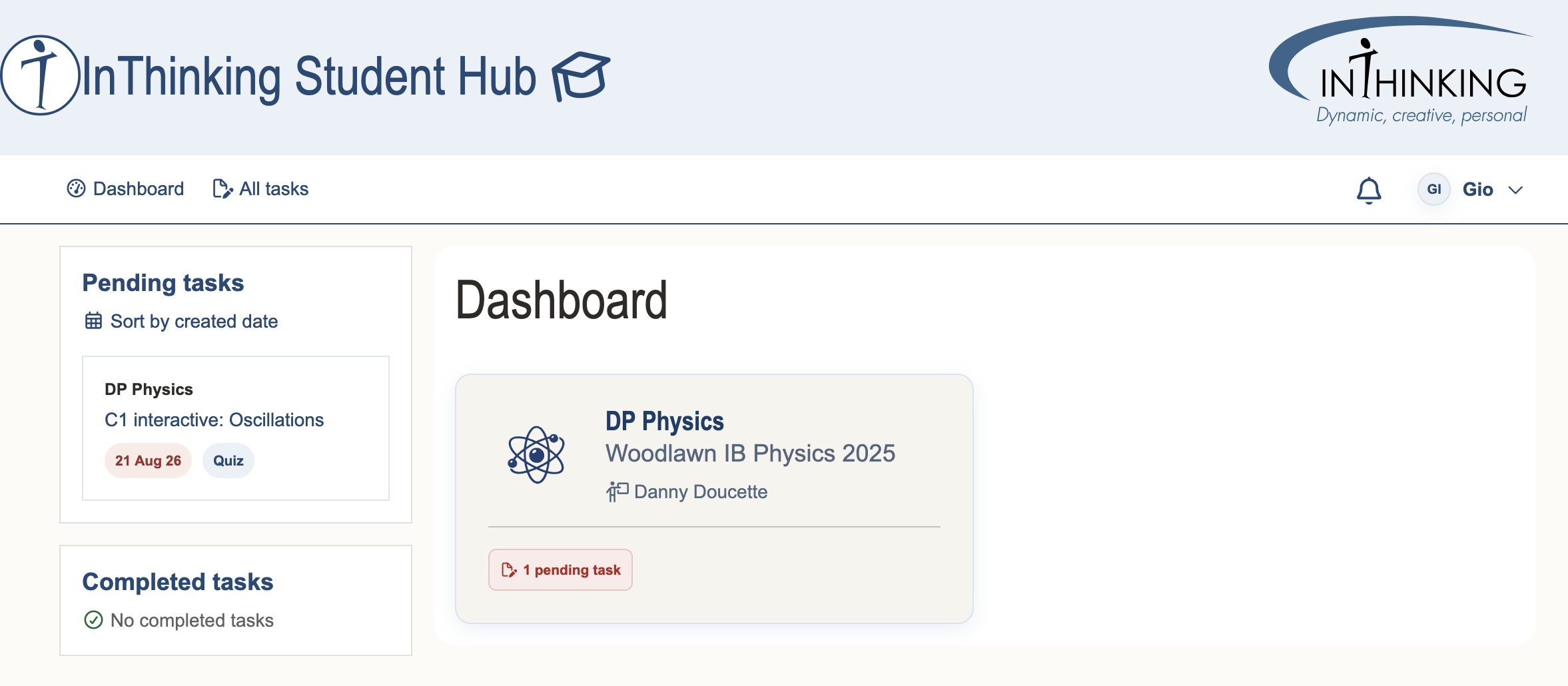
Student view
Students see a dashboard when they log in, which displays all their InThinking classes as well as any assigned tasks.
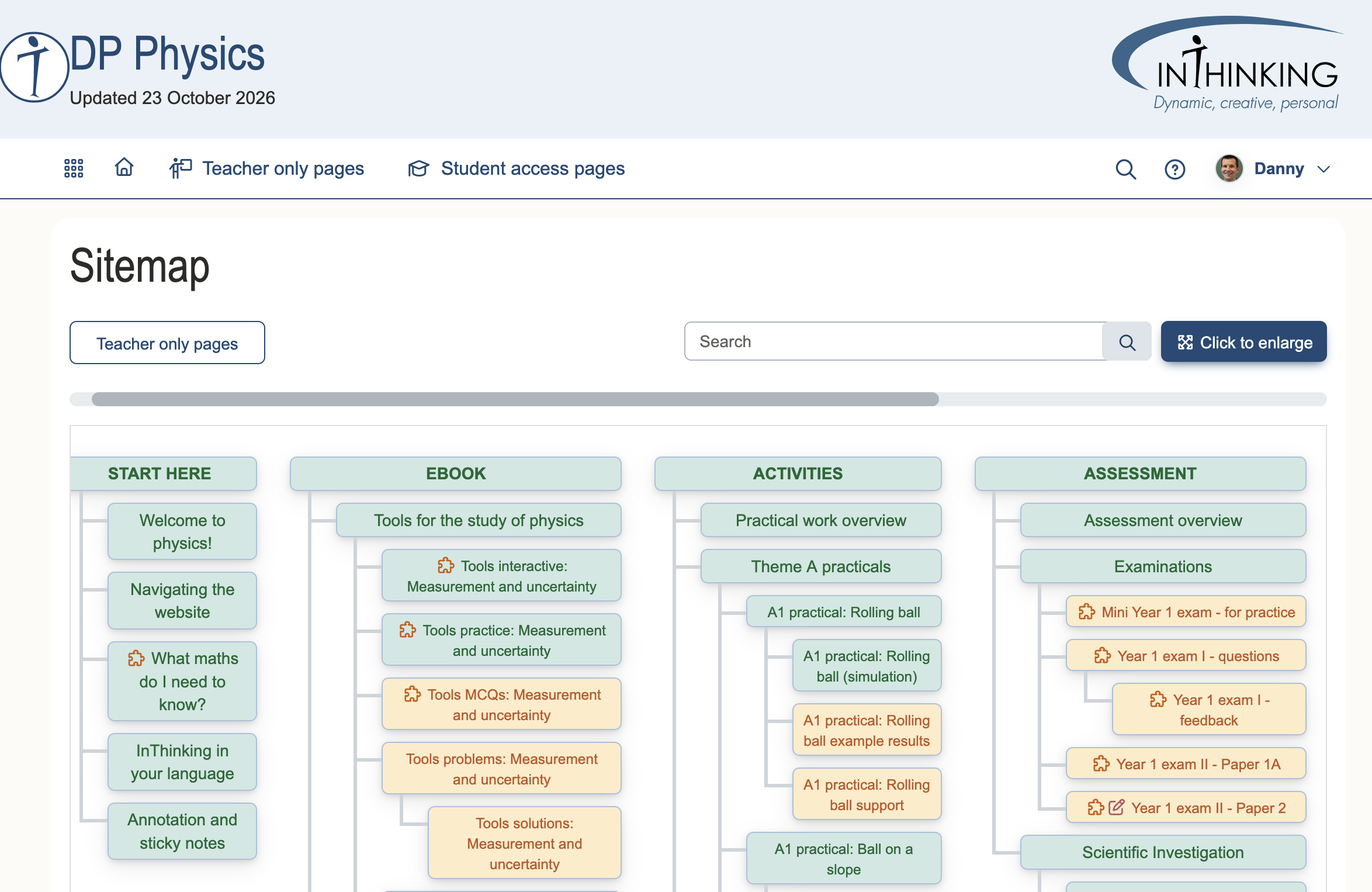
Site maps
Access to the Student only pages can be controlled by teachers. There are defaults (green for ON and orange for OFF) but you can change these for your class. There is also an option to make all pages visible, if you want students to be able to access all the assignments for final exam preparation, for example.
Student access manager
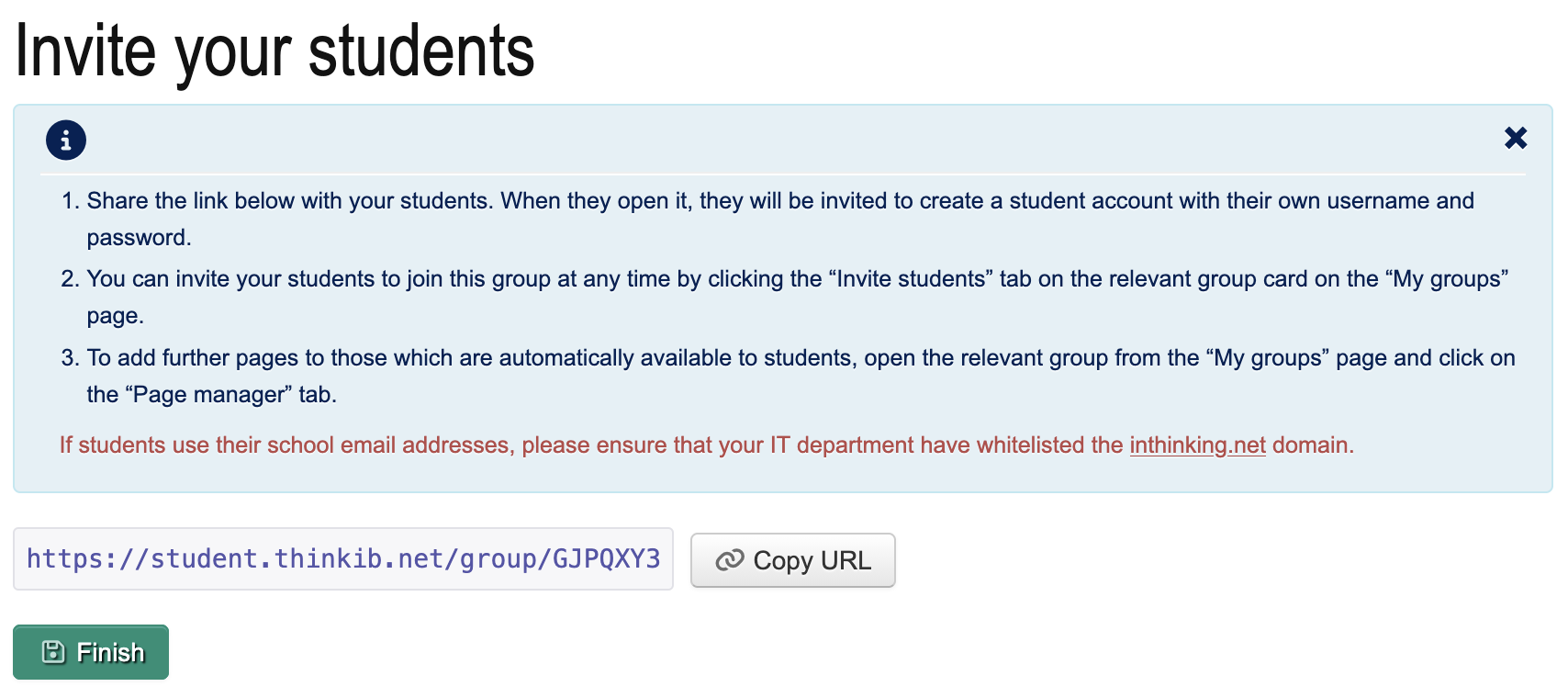
Subscribers can set up student groups to allow students to access the pages, and also to assign tasks.
Task manager
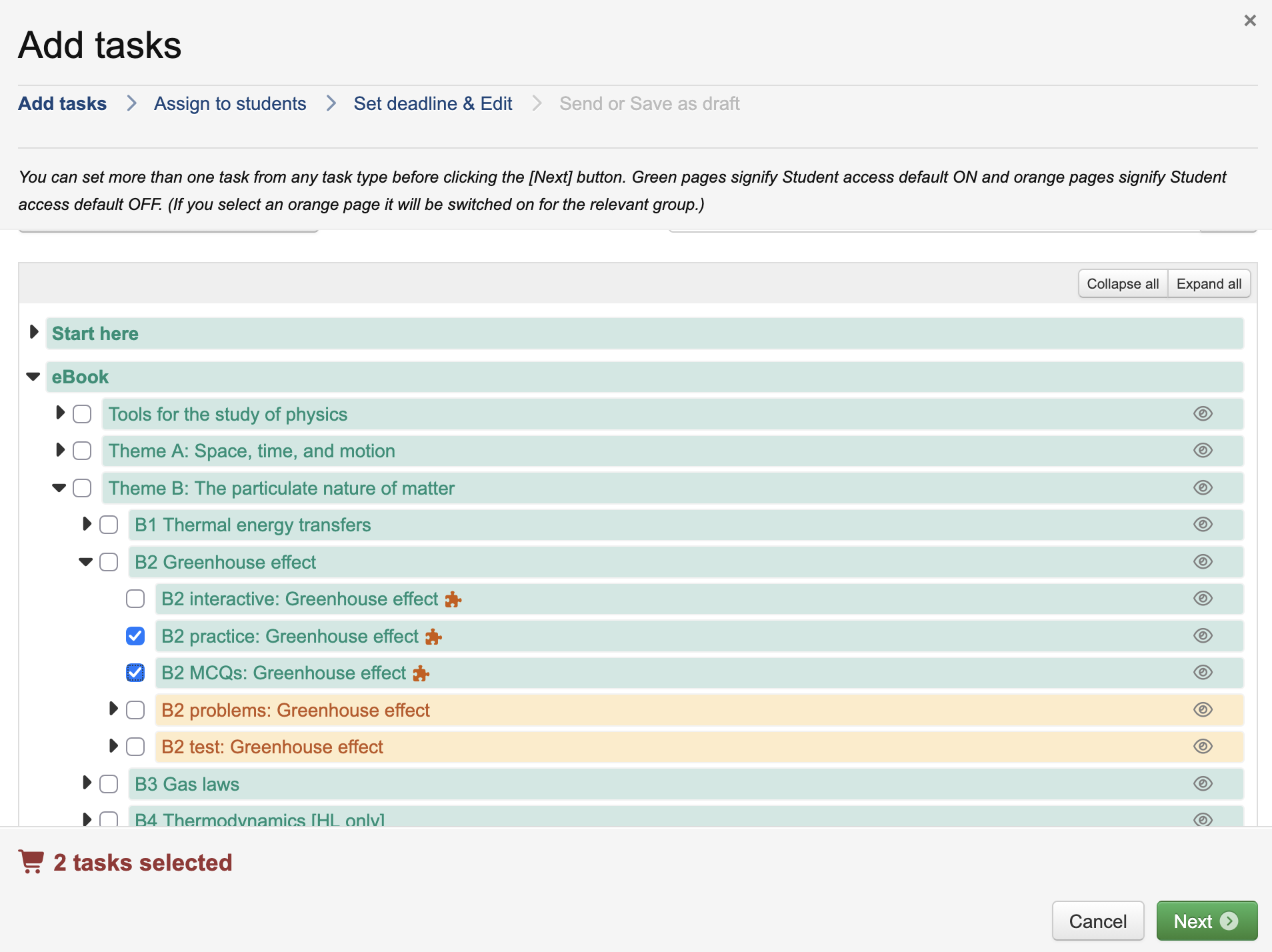
Once you have a group set up in the Student access manager, you can assign and organize tasks using the Task manager. In addition to on-page tasks, you can also compile tasks from the qBank.
Results manager
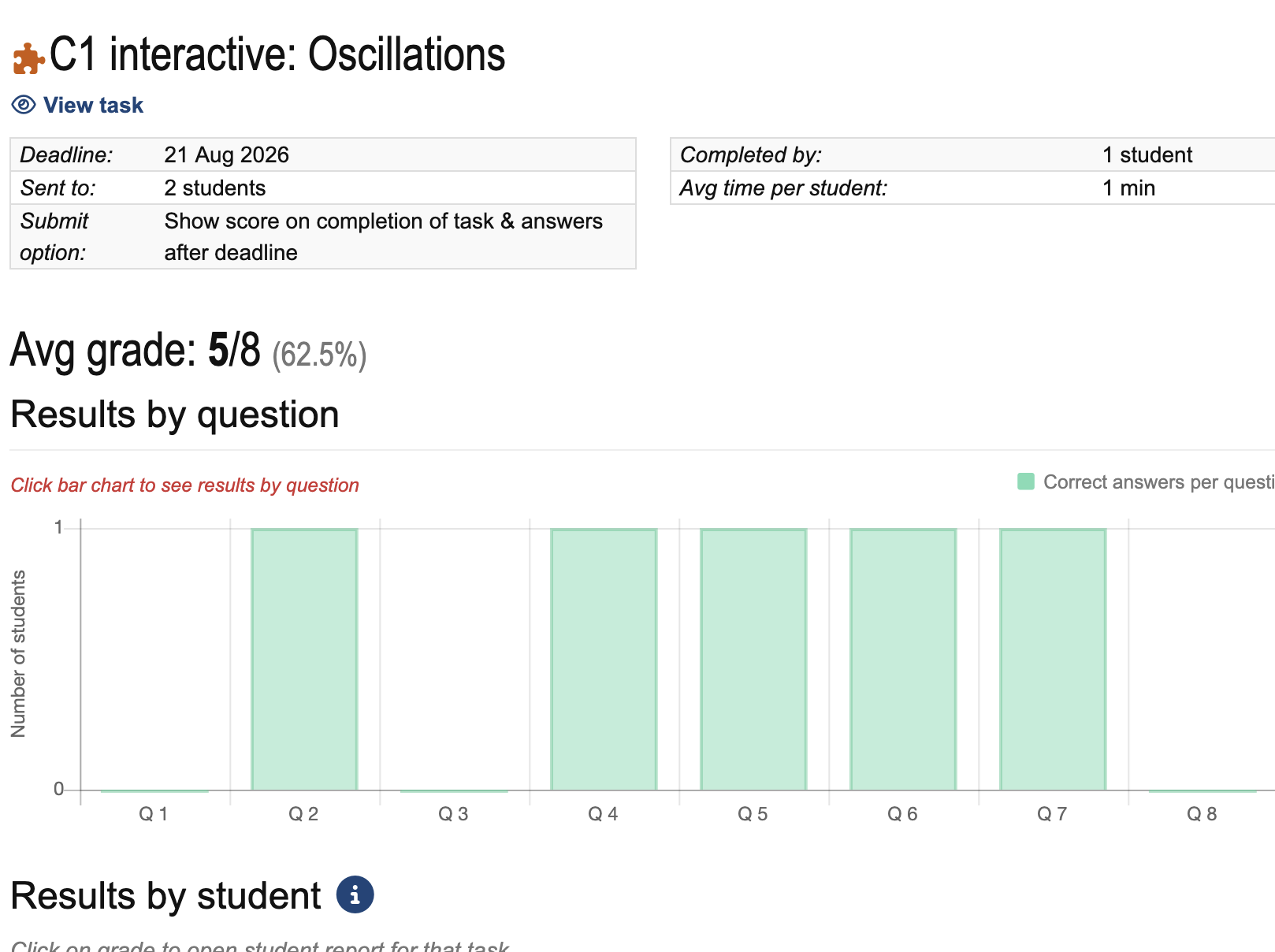
Monitor student performance easily with the results manager. You can see a group task report (below) or look at the results for each student individually. Integration with learning management systems is coming soon.
Setting tasks
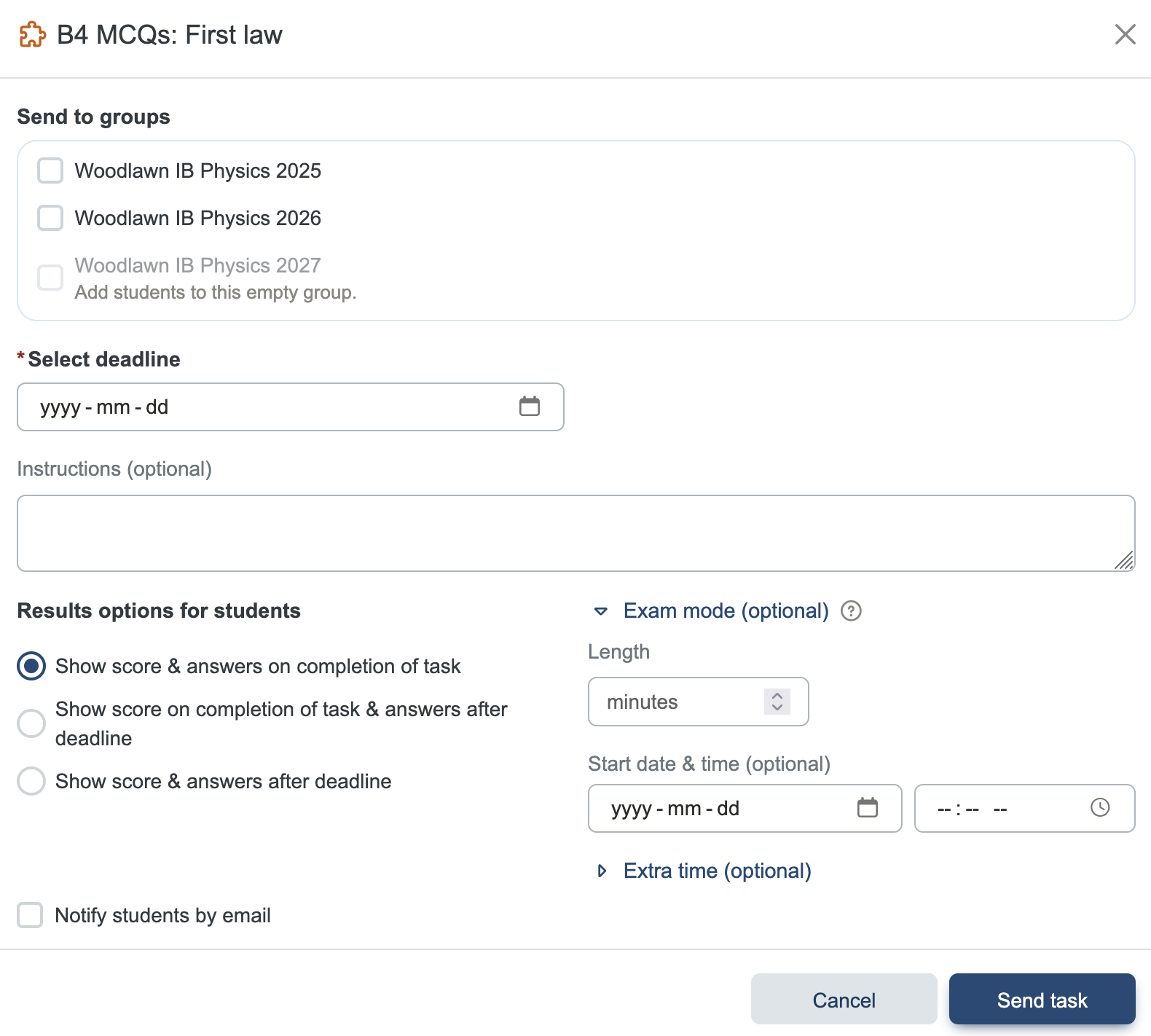
The most straightforward way to assign tasks to students is to use the “Set page as task” button on the top right corner of a Student only page. There are lots of options, including exam mode, which has a soft lockdown feature.
On-page buttons
There are lots you can do with pages, including setting favourites, making notes and annotations, presentation mode, viewing the page as a student, and changing student access.
Unit planners and Teach pages
Some of the most popular resources for teachers include the Unit planners and the topic-by-topic Teach pages.
Interactive eBook
The eBook has interactive learning pages, practice questions for students, MCQs and problem tasks to assign to students, and topic tests.
Practicals
The website describes about 70 practicals you can use in your classroom.
Guides
Lastly, there are student guides to the Scientific Investigation, Extended Essay in physics, and final exams. There are teacher guides to running the Scientific Investigation, supervising physics Extended Essays, and Mock Exams.