The Backlot: An Interactive Film Set
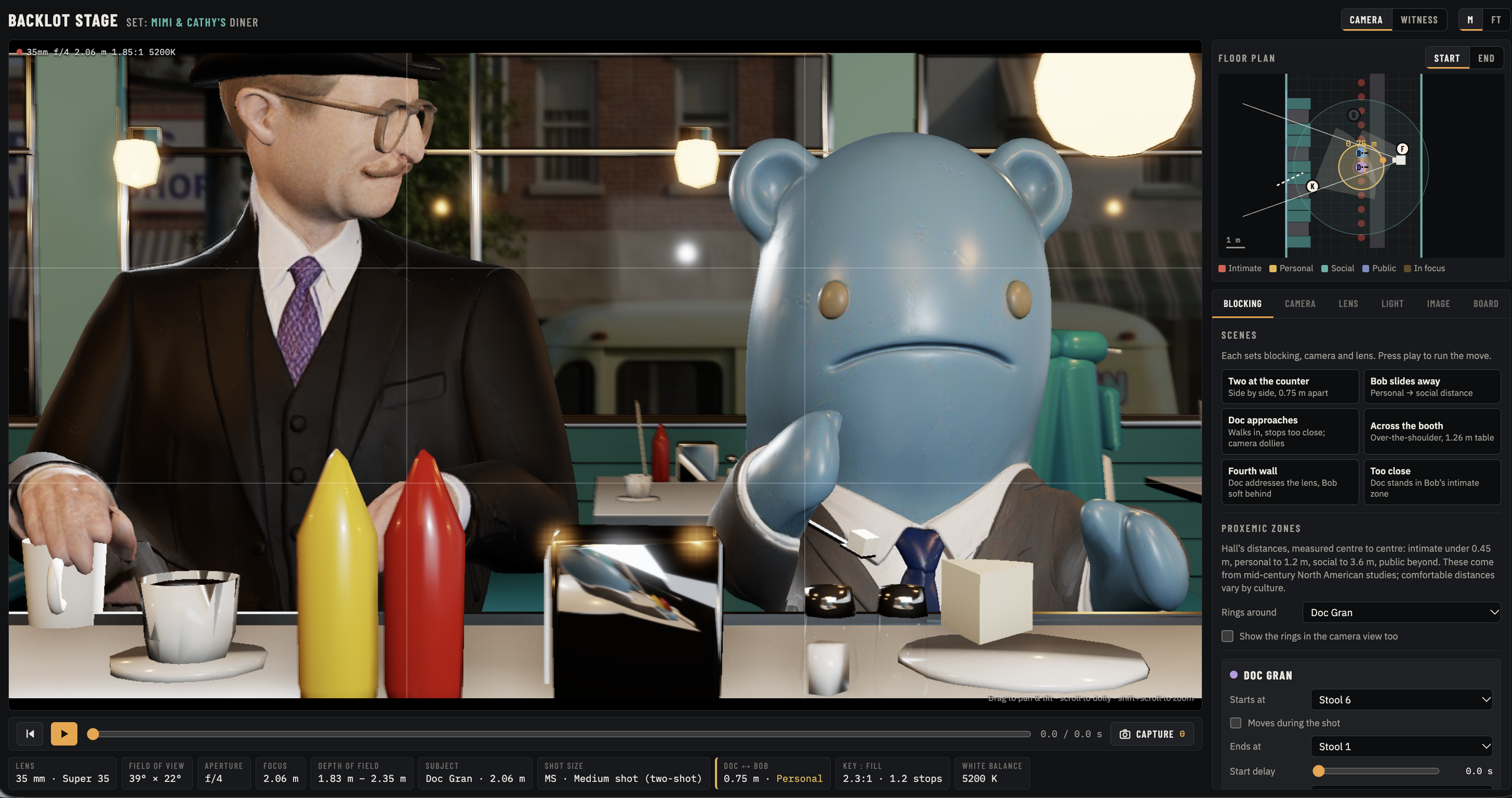
The Backlot is an interactive film set in which you can move virtual actors, cameras, and lights and watch how the changes affect the image through the camera in real time.
The backlot is based on characters and locations from our own Quicker Flicker Series.
This app is largely intuitive in its use but you can find some directions below so that you can see all of the tools at your disposal.
Backlot Guide
The backlot has a few windows that make it easy to navigate, make changes, and even print out shots in storyboard form.
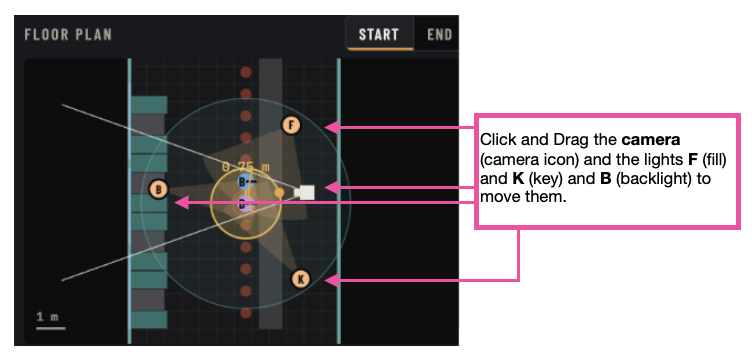
The Floor Plan
The floor plan is a top down view of the entire set with the diner booths on the left hand side and the counter with stools on the right. Camera and light icons are clearly marked and draggable.
Control Panel
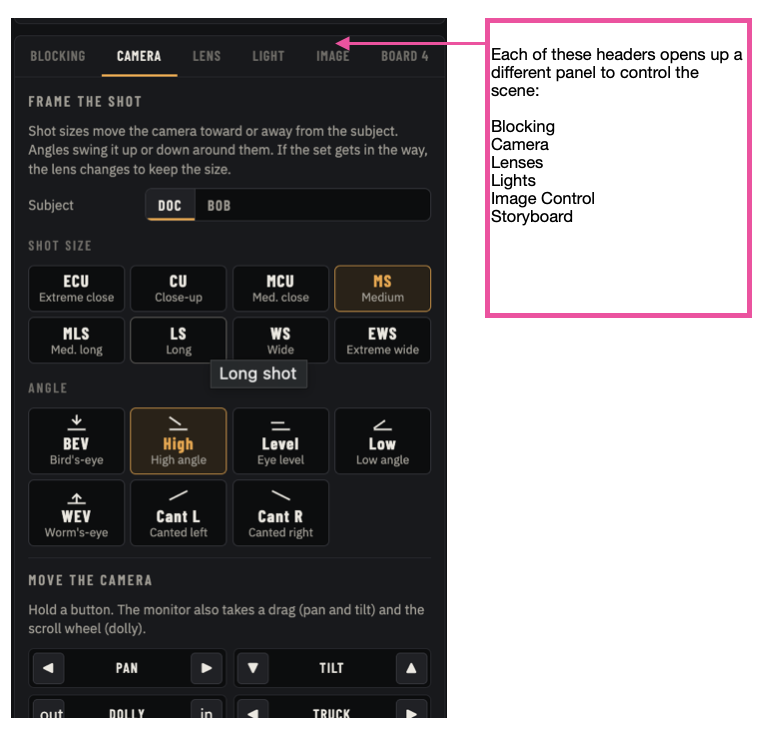
You will notice 6 tabs in the control panel. Each one has some basic controls towards the top, as well as controls for finer tuning further down in each panel.
For example, in the Camera panel, you can click specific shot sizes, but further down you can use specific camera movements to get more exacting placements.
Witness View
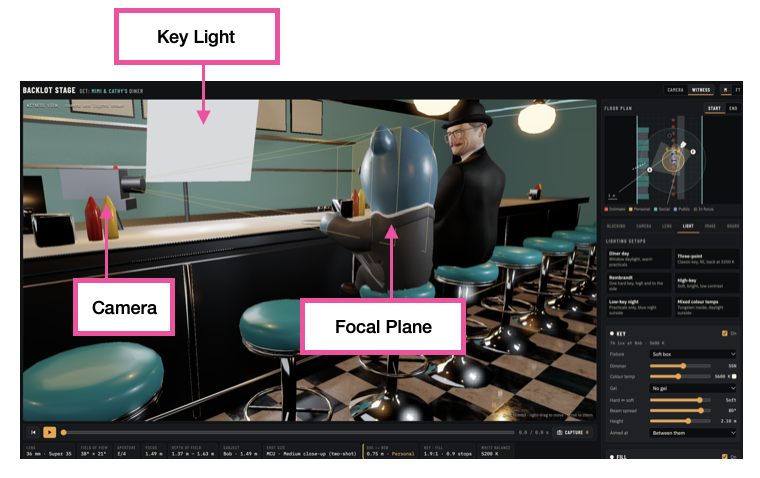
In the “witness view” you can step away from the camera and see what the set would look like from anywhere within the diner. Here you can see where the camera and lights might be placed in reference to the actors.
Storyboards
Finally, you can also capture each shot by clicking ‘capture’ under the main window. You can then print out all of your captures as a storyboard in the board tab. 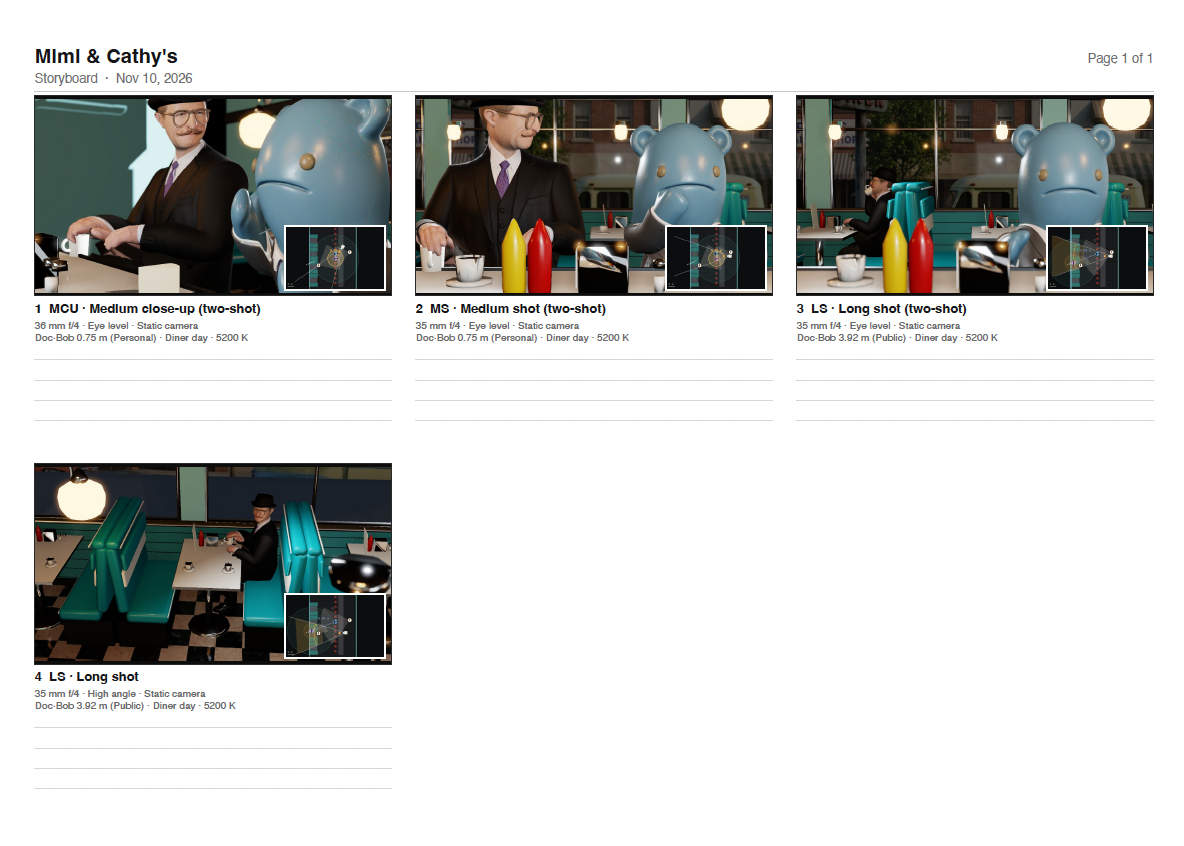
TRY NOW
Choose a set up in the blocking tab in which Doc and Bob are sitting together at the counter or booth. Using the lighting, lens, and camera angle tabs, alter the image so that you create a:
- Unbalanced power dynamic between the two characters
- Sense of dread
- Feeling of unease and confusion.
- Mystery.
- Joy