Navigating the Site

Here you can find the most direct path to the pirate treasure.
Or IB Film stuff. We actually have way more of that. The goal of this page is to give you a layout of our site and offer some clues as to how to best use it.
Please note that there are two distinct parts of the site: Teacher resources and Student resources. Students are not able to see the Teacher Resources section when they log into the site. None of the material in the teacher resources may be directly shared with students. In some cases, there is a student version of a teacher page that may be shared with them. This is done so that the directions are written for the students, rather than for the teachers. The links to the student version of the teacher pages will be found on the teacher page. Many of the Student resources pages are written for both student and teacher reference.
Navigating the site
There are essentially three main ways to navigate your way around the site which contains hundreds of pages. Once you have the basics of these three ways you can then simply explore the site yourself to see the quality of exactly what it does contain.
1. Using the main headings
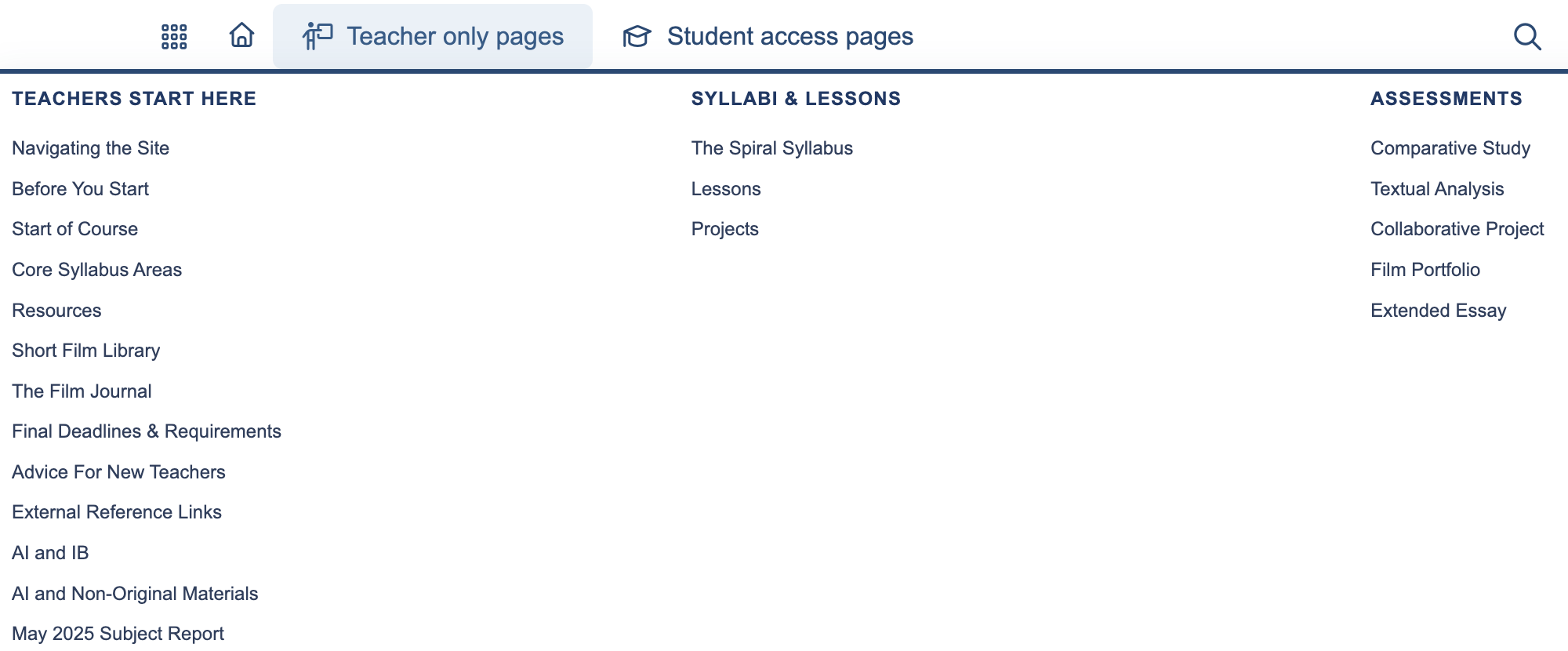
You can go straight to a main headings from the drop down headings on the home page marked ‘Teacher only pages’. This section is divided into three main sections:
- Teachers Start Here has everything you need to start the course, use the site, and get updated information such as subject report breakdowns.
- Syllabi & Lessons has a fully articulated syllabus that you can follow through the full year of the course, or take in parts. The associated pages are the Lessons and Projects you can use in the provided sequence or independently.
- Assessments is where you can find resources and information to help guide your students towards success on their internal and external assessments.
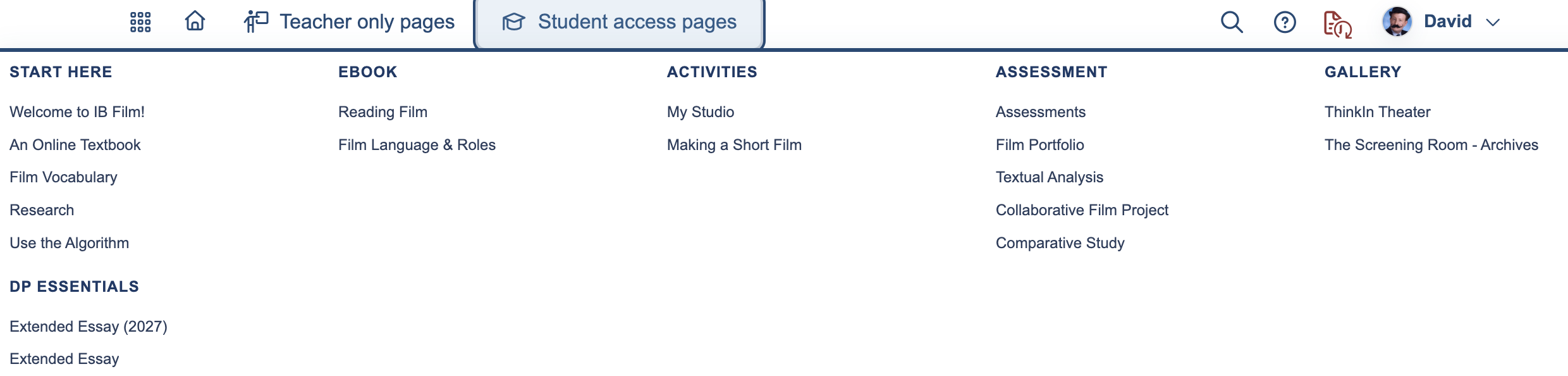
The information marked Student Access Pages contains information about the course content, support, activities, and other resources to help your students master filmmaking knowledge and understandings, as well as the creative and technical requirements of the course.
- Start here has pages that students might examine when they are just entering the course, this will not only introduce them to the site, but provide them with and understanding of how to complete work for your course and use it for independent research, analysis, and the development of their own films.
- eBook is an essential section for students. In this section they will find;
- Reading Film : A guide to all things analysis.
- Film Language & Roles : A guide to both how meaning is created in film language; how they might interpret it in the films they watch, and how they will create it in the films they make.
- Activities contains pages where the students can submit work and develop their own ideas.
- Making a Short Film walks the students through the process from idea generation to final showcase.
- My Studio is a place where students can submit work and plan thier projects.
- Assessment contains student oriented assessment guidance.
- Gallery is the home of our very own “Thinkin Theater”, a collection of IB Film student made exemplar films.
- DP essentials is a section dedicated to film related work outside the content of the course. Here you will find information about the Film Extended Essay.
Using the Site Map

The sitemap can be accessed from the menu on the home page or from the menu on the right hand side of the page.
At the top of the sitemap, you will see that the pages are color-coded according to the type of access. The filtered student access pages are only available for students to see when you switch them ‘on’ (see Student Access) for a group of students.
This is particularly useful when you're looking at the student side of the site map. There are many activities that are included within some of the student topics which you can activate for student use.
Teaching Materials

Another way of searching for materials on the site is through the teaching materials page.
You simply choose the type of file that you would like to see - for example, teaching ideas. The different types of files that you may select from include but are not limited to rubrics, worksheets, activities, and quizzes.
When you hover your cursor over an item on the list, a short description of the resource will appear. By clicking on the location, it will take you to the page.
Important note about teaching materials:
For the IB Film site, we have also included materials linked to Google documents and other sources. You can find links to these organized on our Resources page.