<turbo-stream action="append" target="section-items">
    <template>
            <a href="/computerscience/page/72024/object-oriented-design-in-python" class="card text-body rounded-0 text-decoration-none" data-turbo-frame="_top" data-turbo="false">
        <div class="card-body">
            <div class="row align-items-start gx-3">
                <div class="col-4 col-lg-3">
                    <div class="rounded overflow-hidden hover-zoom hover-overlay">
        <img
            class="d-block w-100 height-150 object-cover"
            src="https://teacher-sites-storage.inthinking.net/ib/computerscience/2025/worksheets/ia/class-diagram.png"
            alt="Object-oriented design in Python"
        >
    </div>

                </div>
                <div class="col-8 col-lg-9">
                                            <h6 class="text-accent">
                            Activities
                        </h6>
                                        <h5 class="fw-semibold text-primary mb-2 d-flex gap-1 align-items-end">
                        Object-oriented design in Python
                                    

                    </h5>
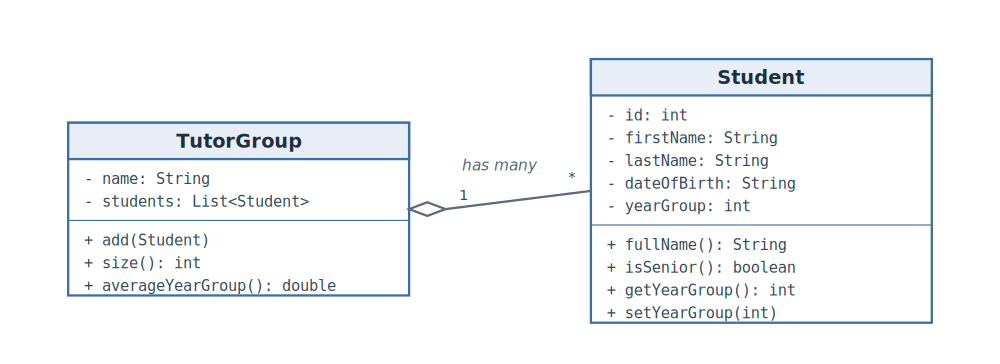
                                            <p class="text-body mb-0 mb-lg-3"> A small program can get by with loose variables and a few functions. As a product grows, that gets hard to follow: the data for one thing is scattered across several variables, and the functions that...</p>
                                        <div class="clearfix">
                        <span class="text-muted fs-sm float-end">
                            06 September 2026
                        </span>
                    </div>
                </div>
            </div>
        </div>
    </a>
    <a href="/computerscience/page/72026/object-oriented-design-in-java" class="card text-body rounded-0 text-decoration-none" data-turbo-frame="_top" data-turbo="false">
        <div class="card-body">
            <div class="row align-items-start gx-3">
                <div class="col-4 col-lg-3">
                    <div class="rounded overflow-hidden hover-zoom hover-overlay">
        <img
            class="d-block w-100 height-150 object-cover"
            src="https://teacher-sites-storage.inthinking.net/ib/computerscience/2025/worksheets/ia/class-diagram.png"
            alt="Object-oriented design in Java"
        >
    </div>

                </div>
                <div class="col-8 col-lg-9">
                                            <h6 class="text-accent">
                            Activities
                        </h6>
                                        <h5 class="fw-semibold text-primary mb-2 d-flex gap-1 align-items-end">
                        Object-oriented design in Java
                                    

                    </h5>
                                            <p class="text-body mb-0 mb-lg-3"> A small program can get by with loose variables and a few methods. As a product grows, that gets hard to follow: the data for one thing is scattered across several variables, and the methods that work...</p>
                                        <div class="clearfix">
                        <span class="text-muted fs-sm float-end">
                            06 September 2026
                        </span>
                    </div>
                </div>
            </div>
        </div>
    </a>
    <a href="/computerscience/page/72022/calling-a-web-api-in-python" class="card text-body rounded-0 text-decoration-none" data-turbo-frame="_top" data-turbo="false">
        <div class="card-body">
            <div class="row align-items-start gx-3">
                <div class="col-4 col-lg-3">
                    <div class="rounded overflow-hidden hover-zoom hover-overlay">
        <img
            class="d-block w-100 height-150 object-cover"
            src="https://teacher-sites-storage.inthinking.net/ib/computerscience/2025/worksheets/ia/api-flow.png"
            alt="Calling a web API in Python"
        >
    </div>

                </div>
                <div class="col-8 col-lg-9">
                                            <h6 class="text-accent">
                            Activities
                        </h6>
                                        <h5 class="fw-semibold text-primary mb-2 d-flex gap-1 align-items-end">
                        Calling a web API in Python
                                    

                    </h5>
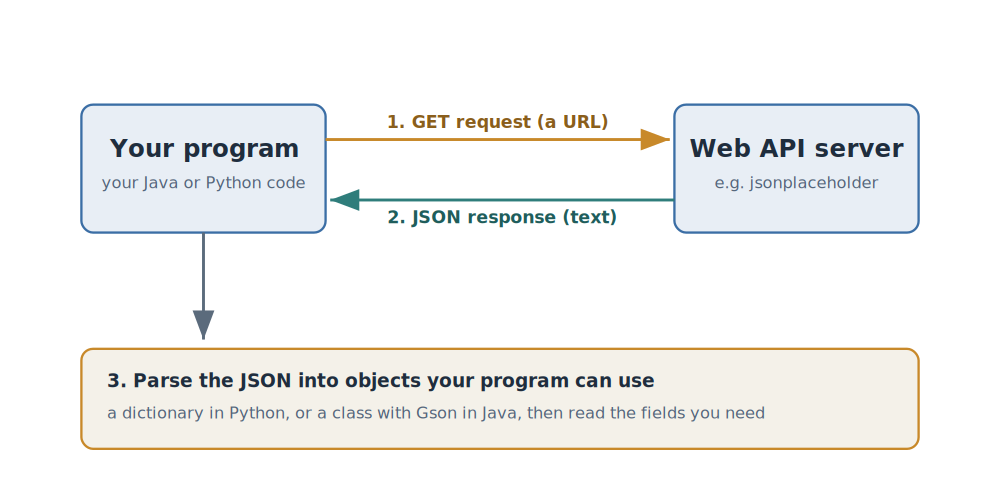
                                            <p class="text-body mb-0 mb-lg-3"> Some products need data the program does not hold itself: today's weather, an exchange rate, a place on a map, a list of books. That data lives on someone else's server, and you reach it through a web...</p>
                                        <div class="clearfix">
                        <span class="text-muted fs-sm float-end">
                            06 September 2026
                        </span>
                    </div>
                </div>
            </div>
        </div>
    </a>
    <a href="/computerscience/page/72023/calling-a-web-api-in-java" class="card text-body rounded-0 text-decoration-none" data-turbo-frame="_top" data-turbo="false">
        <div class="card-body">
            <div class="row align-items-start gx-3">
                <div class="col-4 col-lg-3">
                    <div class="rounded overflow-hidden hover-zoom hover-overlay">
        <img
            class="d-block w-100 height-150 object-cover"
            src="https://teacher-sites-storage.inthinking.net/ib/computerscience/2025/worksheets/ia/api-flow.png"
            alt="Calling a web API in Java"
        >
    </div>

                </div>
                <div class="col-8 col-lg-9">
                                            <h6 class="text-accent">
                            Activities
                        </h6>
                                        <h5 class="fw-semibold text-primary mb-2 d-flex gap-1 align-items-end">
                        Calling a web API in Java
                                    

                    </h5>
                                            <p class="text-body mb-0 mb-lg-3"> Some products need data the program does not hold itself: today's weather, an exchange rate, a place on a map, a list of books. That data lives on someone else's server, and you reach it through a web...</p>
                                        <div class="clearfix">
                        <span class="text-muted fs-sm float-end">
                            06 September 2026
                        </span>
                    </div>
                </div>
            </div>
        </div>
    </a>
    <a href="/computerscience/page/72015/reading-and-writing-files-in-java" class="card text-body rounded-0 text-decoration-none" data-turbo-frame="_top" data-turbo="false">
        <div class="card-body">
            <div class="row align-items-start gx-3">
                <div class="col-4 col-lg-3">
                    <div class="rounded overflow-hidden hover-zoom hover-overlay">
        <img
            class="d-block w-100 height-150 object-cover"
            src="https://teacher-sites-storage.inthinking.net/subject/generic/44/02.jpg?v=1790338362"
            alt="Reading and writing files in Java"
        >
    </div>

                </div>
                <div class="col-8 col-lg-9">
                                            <h6 class="text-accent">
                            Activities
                        </h6>
                                        <h5 class="fw-semibold text-primary mb-2 d-flex gap-1 align-items-end">
                        Reading and writing files in Java
                                    

                    </h5>
                                            <p class="text-body mb-0 mb-lg-3"> Most IA products need to keep their data somewhere. A program holds its data in memory while it runs, but memory is emptied the moment the program closes. To keep data between runs, or to take data in...</p>
                                        <div class="clearfix">
                        <span class="text-muted fs-sm float-end">
                            06 September 2026
                        </span>
                    </div>
                </div>
            </div>
        </div>
    </a>
    <a href="/computerscience/page/72014/connecting-a-javafx-project-to-sqlite-with-db-browser" class="card text-body rounded-0 text-decoration-none" data-turbo-frame="_top" data-turbo="false">
        <div class="card-body">
            <div class="row align-items-start gx-3">
                <div class="col-4 col-lg-3">
                    <div class="rounded overflow-hidden hover-zoom hover-overlay">
        <img
            class="d-block w-100 height-150 object-cover"
            src="https://teacher-sites-storage.inthinking.net/ib/computerscience/2025/worksheets/ia/studentdb.png"
            alt="Connecting a JavaFX project to SQLite with DB Browser"
        >
    </div>

                </div>
                <div class="col-8 col-lg-9">
                                            <h6 class="text-accent">
                            Activities
                        </h6>
                                        <h5 class="fw-semibold text-primary mb-2 d-flex gap-1 align-items-end">
                        Connecting a JavaFX project to SQLite with DB Browser
                                    

                    </h5>
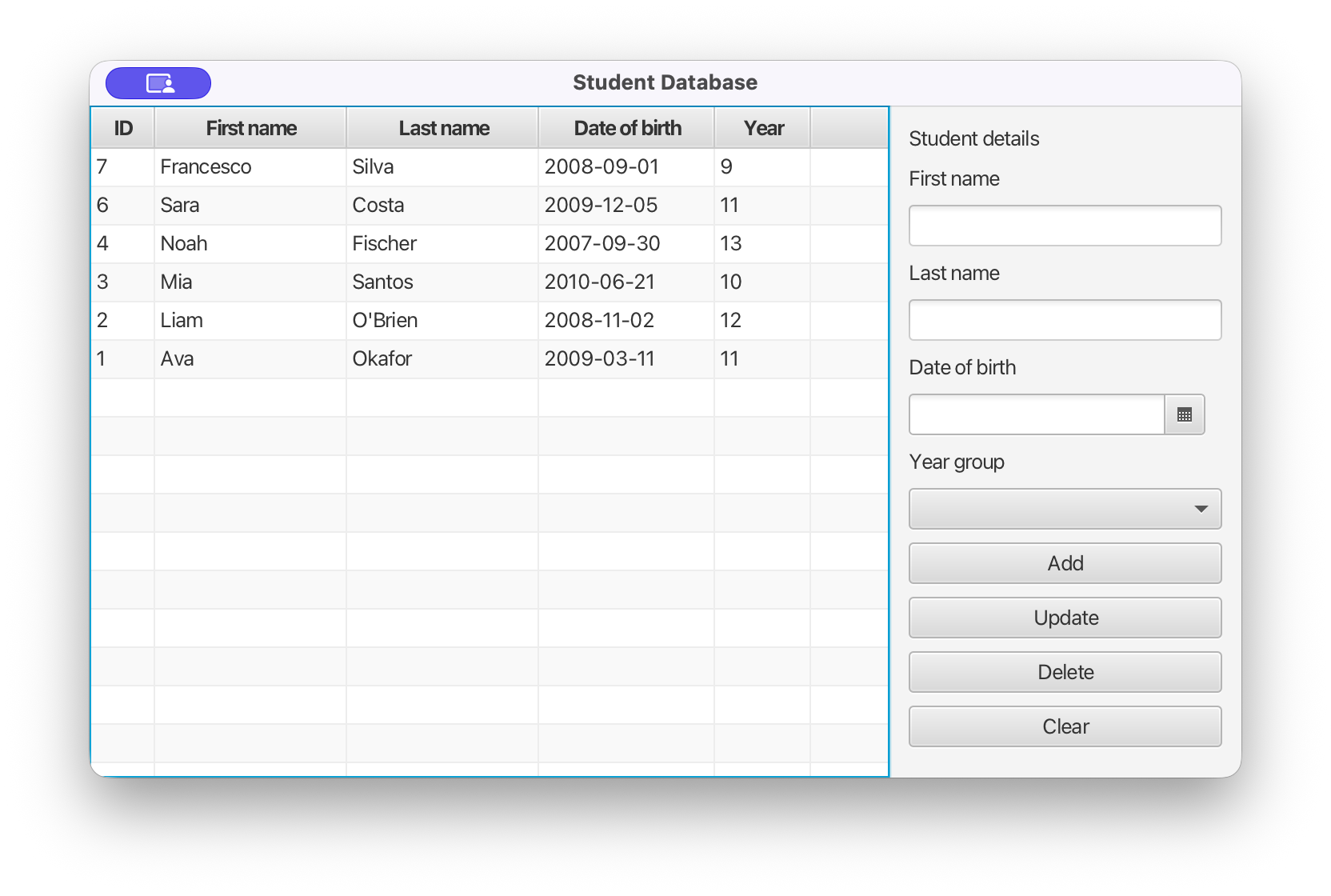
                                            <p class="text-body mb-0 mb-lg-3"> This tutorial builds a small student database that you can add to, edit and delete from on screen. You make the database itself in DB Browser for SQLite, then wire it into an IntelliJ JavaFX project so...</p>
                                        <div class="clearfix">
                        <span class="text-muted fs-sm float-end">
                            06 September 2026
                        </span>
                    </div>
                </div>
            </div>
        </div>
    </a>
    <a href="/computerscience/page/71946/a-111-worksheet-answers" class="card text-body rounded-0 text-decoration-none" data-turbo-frame="_top" data-turbo="false">
        <div class="card-body">
            <div class="row align-items-start gx-3">
                <div class="col-4 col-lg-3">
                    <div class="rounded overflow-hidden hover-zoom hover-overlay">
        <img
            class="d-block w-100 height-150 object-cover"
            src="https://teacher-sites-storage.inthinking.net/ib/computerscience/2025/theme-a--concepts-of-computer-science/a1-computer-fundamentals/a1.1-computer-hardware-and-operation/cpu_components_diagram2.svg"
            alt="A 1.1.1 Worksheet Answers"
        >
    </div>

                </div>
                <div class="col-8 col-lg-9">
                                            <h6 class="text-accent">
                            Activities
                        </h6>
                                        <h5 class="fw-semibold text-primary mb-2 d-flex gap-1 align-items-end">
                        A 1.1.1 Worksheet Answers
                                    

                    </h5>
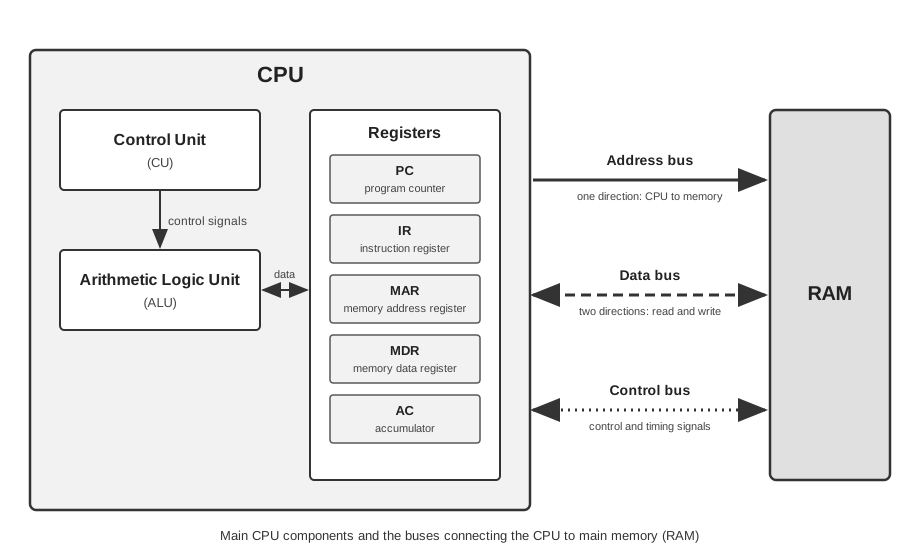
                                            <p class="text-body mb-0 mb-lg-3"> Answers are drawn from the A 1.1.1 eBook page and written to the standard expected at this level.  Data: the values a computer stores and works on, such as numbers or characters. Data is the what: the...</p>
                                        <div class="clearfix">
                        <span class="text-muted fs-sm float-end">
                            03 September 2026
                        </span>
                    </div>
                </div>
            </div>
        </div>
    </a>
    <a href="/computerscience/page/61844/a1-computer-fundamentals" class="card text-body rounded-0 text-decoration-none" data-turbo-frame="_top" data-turbo="false">
        <div class="card-body">
            <div class="row align-items-start gx-3">
                <div class="col-4 col-lg-3">
                    <div class="rounded overflow-hidden hover-zoom hover-overlay">
        <img
            class="d-block w-100 height-150 object-cover"
            src="https://teacher-sites-storage.inthinking.net/ib/computerscience/2025/theme-a--concepts-of-computer-science/a1-computer-fundamentals/a1worksheets.png"
            alt="A1 Computer Fundamentals"
        >
    </div>

                </div>
                <div class="col-8 col-lg-9">
                                            <h6 class="text-accent">
                            Activities
                        </h6>
                                        <h5 class="fw-semibold text-primary mb-2 d-flex gap-1 align-items-end">
                        A1 Computer Fundamentals
                                    

                    </h5>
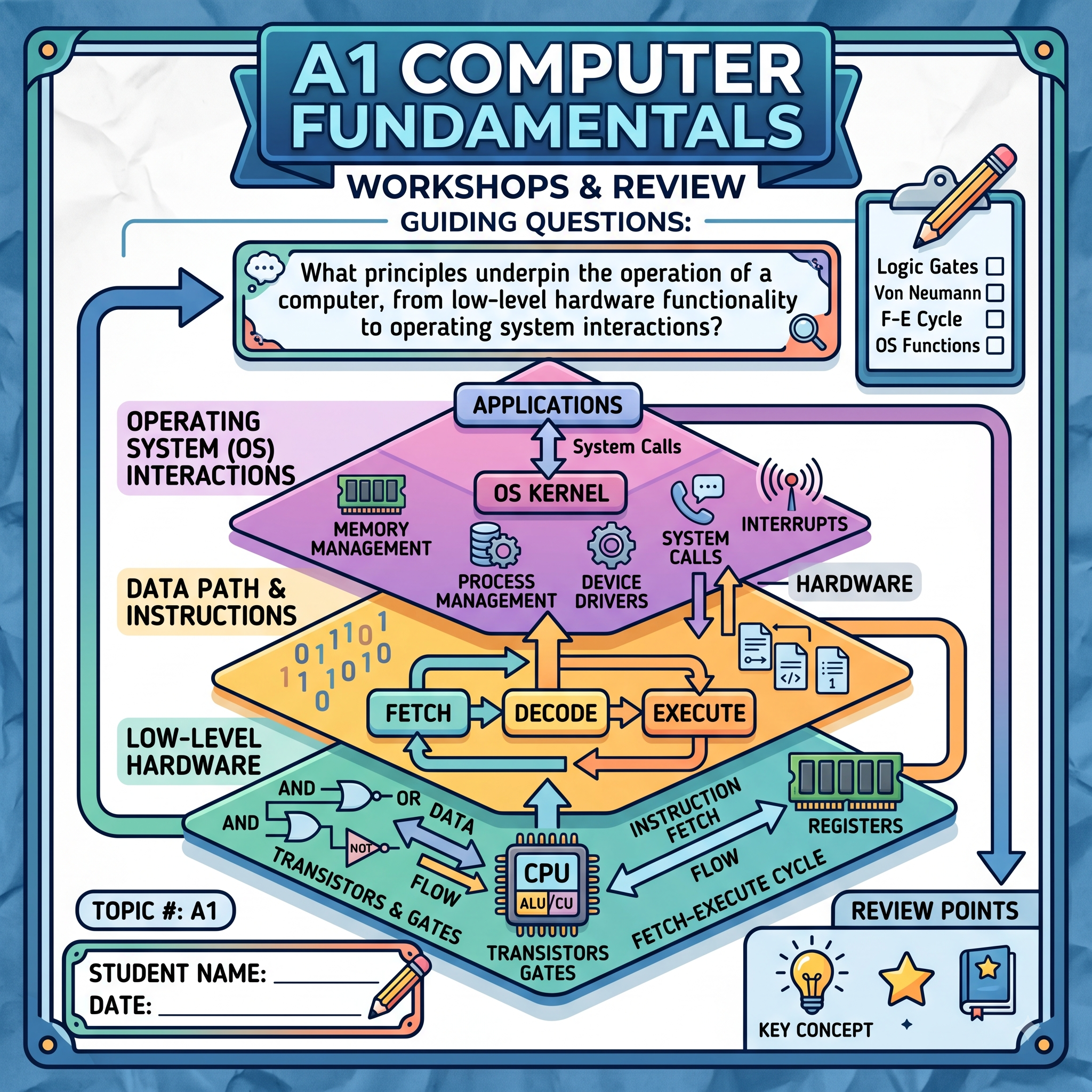
                                            <p class="text-body mb-0 mb-lg-3"> A1 Computer fundamentals cover the inner workings of computers. It includes computer hardware and operation, data representation and computer logic, operating and control systems, and translation (HL...</p>
                                        <div class="clearfix">
                        <span class="text-muted fs-sm float-end">
                            29 August 2026
                        </span>
                    </div>
                </div>
            </div>
        </div>
    </a>
    <a href="/computerscience/page/68679/a-111-worksheet" class="card text-body rounded-0 text-decoration-none" data-turbo-frame="_top" data-turbo="false">
        <div class="card-body">
            <div class="row align-items-start gx-3">
                <div class="col-4 col-lg-3">
                    <div class="rounded overflow-hidden hover-zoom hover-overlay">
        <img
            class="d-block w-100 height-150 object-cover"
            src="https://teacher-sites-storage.inthinking.net/ib/computerscience/2025/theme-a--concepts-of-computer-science/a1-computer-fundamentals/a1.1-computer-hardware-and-operation/cpu_outline.png"
            alt="A 1.1.1 Worksheet"
        >
    </div>

                </div>
                <div class="col-8 col-lg-9">
                                            <h6 class="text-accent">
                            Activities
                        </h6>
                                        <h5 class="fw-semibold text-primary mb-2 d-flex gap-1 align-items-end">
                        A 1.1.1 Worksheet
                                    

                    </h5>
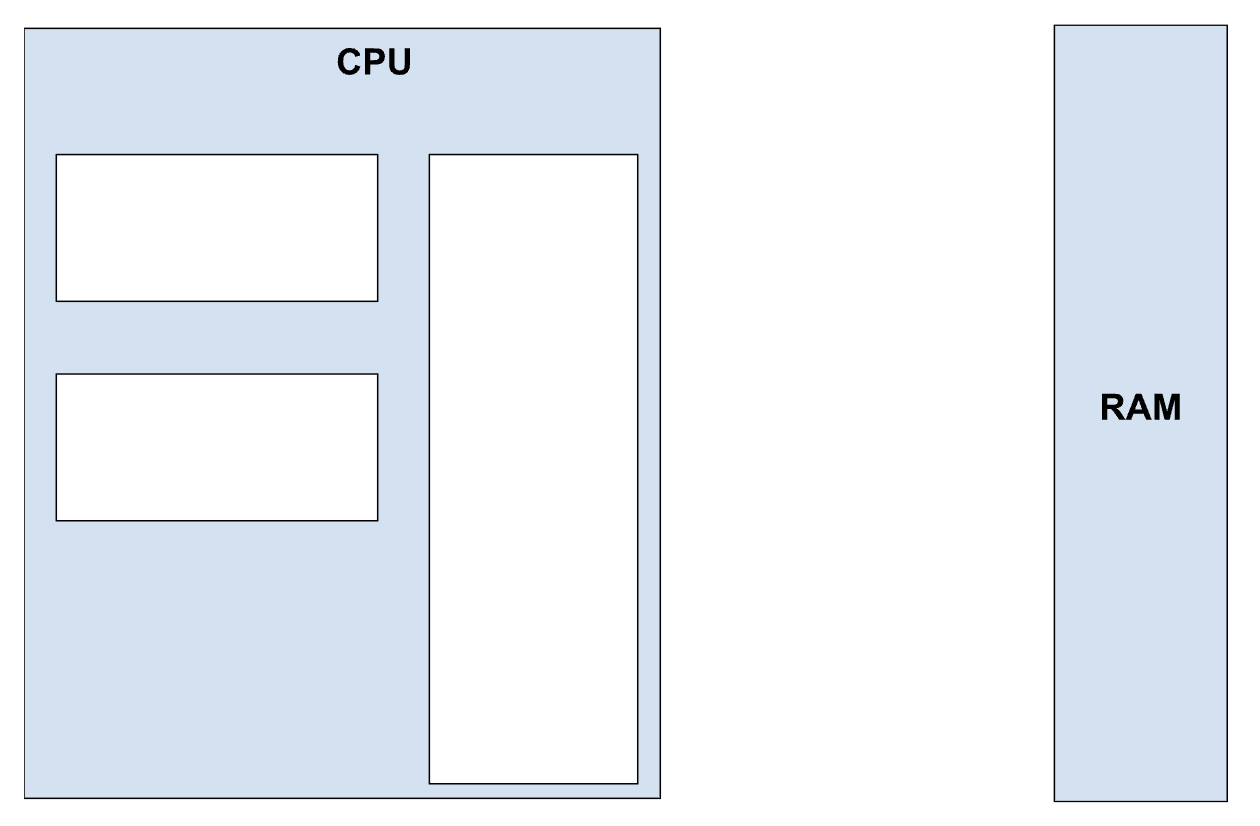
                                            <p class="text-body mb-0 mb-lg-3"> Name:  Date:  Write your definitions below. Data:  Instruction: Annotation Checklist: Task 1: Read the A 1.1.1 section in your eBook. Return to your diagram in Part 2 and label the empty boxes with the...</p>
                                        <div class="clearfix">
                        <span class="text-muted fs-sm float-end">
                            29 August 2026
                        </span>
                    </div>
                </div>
            </div>
        </div>
    </a>
    <a href="/computerscience/page/60712/a-234-static-vs-dynamic-routing-hl-only" class="card text-body rounded-0 text-decoration-none" data-turbo-frame="_top" data-turbo="false">
        <div class="card-body">
            <div class="row align-items-start gx-3">
                <div class="col-4 col-lg-3">
                    <div class="rounded overflow-hidden hover-zoom hover-overlay">
        <img
            class="d-block w-100 height-150 object-cover"
            src="https://teacher-sites-storage.inthinking.net/ib/computerscience/2025/theme-a--concepts-of-computer-science/a2-networks/a2.3-data-transmissions/routing.png"
            alt="A 2.3.4 Static vs. Dynamic Routing (HL Only)"
        >
    </div>

                </div>
                <div class="col-8 col-lg-9">
                                            <h6 class="text-accent">
                            eBook
                        </h6>
                                        <h5 class="fw-semibold text-primary mb-2 d-flex gap-1 align-items-end">
                        A 2.3.4 Static vs. Dynamic Routing (HL Only)
                                    

                    </h5>
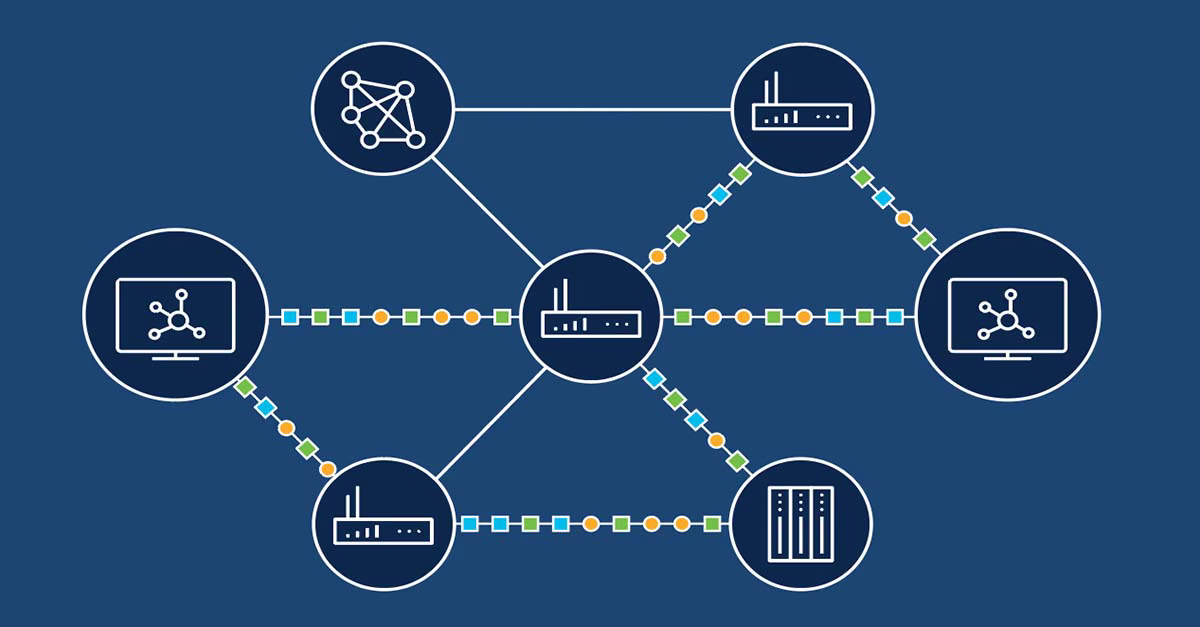
                                            <p class="text-body mb-0 mb-lg-3"> A router decides where to send each packet next. It does this from a routing table, which maps a destination to the next router along the way. The page addresses where that table comes from. In static...</p>
                                        <div class="clearfix">
                        <span class="text-muted fs-sm float-end">
                            27 August 2026
                        </span>
                    </div>
                </div>
            </div>
        </div>
    </a>


    </template>
</turbo-stream>

    <turbo-stream action="update" target="load-more">
        <template>
            <div class="d-flex justify-content-center my-3">
    <a href="/computerscience/latest-updates?page=12" class="btn btn-secondary loader">
        <i class="fa-regular fa-circle-plus"></i>
        Load more
    </a>
    <div class="spinner-border load-more text-primary" role="status">
        <span class="visually-hidden">Loading...</span>
    </div>
</div>

        </template>
    </turbo-stream>